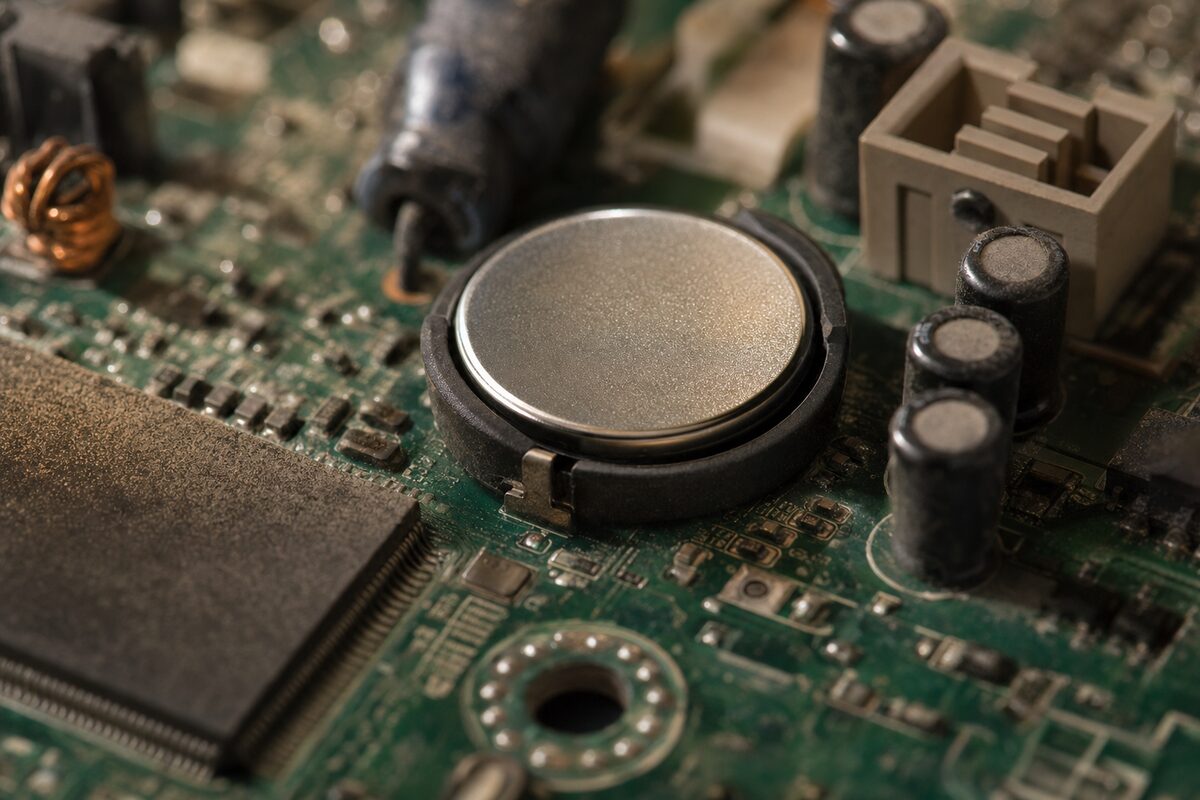
You've probably never thought twice about the clock in the corner of your screen. It just… works. But here's something most people don't know: your computer actually has two completely separate clocks running at the same time — and one of them is powered by a tiny coin-sized battery hidden deep inside your PC or laptop. When that battery starts to die, all sorts of odd things begin to happen, and most people have no idea why.
The Two Clocks Explained
The clock you see on your taskbar is kept accurate by Windows, which regularly checks the time over the internet and adjusts itself. That part works fine as long as you're connected. But the second clock — the one that really matters — is called the RTC, or Real-Time Clock. It lives on your computer's motherboard and runs 24 hours a day, seven days a week, even when your PC is completely switched off and unplugged.
How? It's powered by a small, flat battery — usually a CR2032, the same type used in key fobs and some watches. This battery typically lasts five to ten years, sometimes longer. But eventually, it dies. And when it does, things get weird.
What Actually Goes Wrong When the Battery Fails
A dying CMOS battery (the "CMOS" is the chip it powers — short for Complementary Metal-Oxide Semiconductor, if you really want to know) causes a surprisingly varied set of problems. People often spend ages chasing the wrong culprit. Here's what to watch out for:
- Your date and time reset to the past — often January 2009 or some other seemingly random date — every time you start up.
- Windows throws up errors at boot, sometimes complaining about the system time or BIOS settings.
- Your PC refuses to connect to the internet — because security certificates are date-sensitive, and if your computer thinks it's 2009, websites and email servers will refuse to trust it.
- Saved BIOS settings vanish — things like boot order or overclocking settings may reset to defaults on every restart.
- Strange login or password errors — some software and corporate systems check the system clock when verifying credentials.
Frustratingly, none of these symptoms obviously point to a £2 battery. It's one of those fixes that feels almost too simple once you know about it.
How to Tell If This Is Your Problem
The clearest giveaway is a date that keeps resetting. If you set the time in Windows, shut down, come back the next morning and the clock is wrong again — that's your CMOS battery talking. You may also see a message on the black screen during startup that says something like "CMOS checksum error" or "System date/time not set". Either way, the fix is almost always the same.
Desktop PCs are easy to sort out yourself if you're reasonably confident: switch off, unplug, open the side panel, find the shiny silver coin cell on the motherboard, pop it out, replace it with a new CR2032 (widely available in supermarkets and hardware shops), and you're done. The BIOS will reset to its defaults, so you may need to re-enter the correct date and time on first boot, but everything else should sort itself out.
Laptops are a different matter. The battery is often buried under other components, and some models use a soldered or proprietary battery rather than a standard coin cell. If you're not comfortable opening up your machine, it's well worth getting someone to do it — a job like this at a local repair shop typically takes well under an hour.
Does It Affect Your Data?
Good news: a dead CMOS battery will not damage your files, photos, or programs. Your data lives on your hard drive or SSD, which is completely separate. The CMOS only stores basic settings — time, date, and low-level hardware preferences. So while the symptoms can be alarming, there's nothing to panic about.
That said, if your machine is old enough to have a dying CMOS battery, it's worth thinking about whether your data is properly backed up. Older machines can develop other problems too, and good backups are always your best insurance.
A Quick Word on Older Desktops and PCs Left in Storage
If you have a desktop PC that's been sitting unused in a cupboard for a few years — perhaps an old office machine or a spare you've been meaning to set up — expect the CMOS battery to be flat before you even start. It's almost guaranteed on anything more than five or six years old that's been unplugged for a long time. Swap the battery before you do anything else and you'll save yourself a lot of head-scratching.
The Practical Takeaway
If your computer's clock keeps resetting, or you're seeing boot errors and mysterious connection problems on an older machine, don't immediately assume a virus or a serious hardware fault. Check the date. If it's drifted back in time, a new CR2032 battery — costing about £2 from any supermarket — may be all that stands between you and a perfectly working computer again.
It's one of the most satisfying fixes in the whole world of PC repairs: cheap, fast, and deeply counterintuitive. A dead battery the size of a 10p piece causing internet outages and login failures? Only computers could manage that.