It was a Tuesday morning in late July when a gentleman — let's call him Martin — walked in carrying a mid-tower desktop under one arm and a bin bag full of cables under the other. He'd had a rough night. A thunderstorm had rolled through the Weald, and when he'd gone to turn his PC on the following morning, absolutely nothing happened. No fans, no beeps, no lights. Just silence.
"It's the power supply, isn't it," he said. Not really a question. He'd already looked it up online. He was certain.
He might well have been right. Power surges from nearby lightning strikes are one of the most common ways a PSU gets quietly killed. But we've learned over the years that the obvious answer and the correct answer aren't always the same thing — so we started at the beginning.
What the Customer Thought Had Happened
Martin's reasoning was perfectly logical. Storm hits, PC dies, power supply is the thing that handles, well, power. Replace it, job done. He'd even found a compatible unit online and had his card ready. He just wanted us to confirm it before he ordered.
We told him we'd have a proper look first. Half an hour on the bench can save a lot of unnecessary spending.
What We Found on the Bench
The first thing we always do with a completely dead desktop is isolate the power supply and test it directly. We use a simple PSU tester — a small device that plugs into the main motherboard connector and tells you immediately whether the supply is putting out the right voltages. Martin's PSU tested absolutely fine. Every rail, spot on.
So it wasn't the power supply. That ruled out the obvious answer and made things more interesting.
Next, we stripped the build back to its bare minimum — just the motherboard, one stick of RAM, and the CPU — and tried again. Still nothing. No POST, no beep codes, no sign of life. That pointed us toward either the motherboard or the CPU itself.
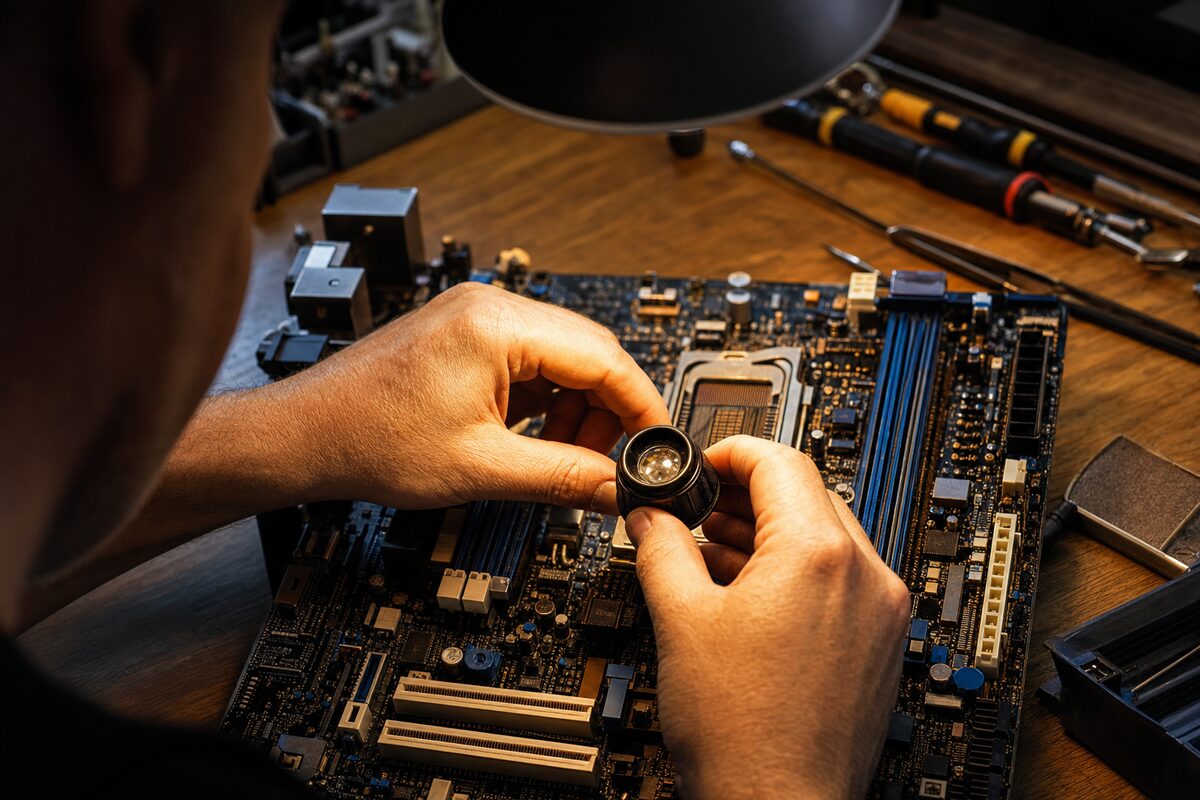
Then we noticed something. On Martin's motherboard, tucked near the 24-pin power connector, there's a small component called a surge protection MOV — a metal oxide varistor. It's a tiny disc-shaped thing, about the size of a shirt button. Its entire job is to absorb voltage spikes and protect the rest of the board. And this one had done exactly that. It had taken the hit from the surge and, in doing so, had sacrificed itself. Under a loupe, we could see it had partially failed — not dramatically, not with a bang, but enough to drag the whole board into a state where it simply refused to power on.
The rest of the motherboard was unharmed. The CPU was fine. The RAM was fine. Everything had been protected — by a component that costs about 30 pence.
How We Fixed It
On some boards, a failed MOV can be reflowed or bypassed carefully — but on Martin's board, the geometry and the extent of the degradation made a full motherboard replacement the more sensible call. We sourced a compatible replacement board, transferred his CPU, RAM and storage across, and had him back up and running the same afternoon. His Windows installation detected the hardware change on first boot and sorted itself out within a few minutes. His files, settings and applications were all exactly as he'd left them.
Total cost: considerably less than a new PC, and well under what he'd have spent if he'd replaced the PSU first, found it made no difference, and then replaced the motherboard anyway.
The Practical Lesson
There are a few things worth taking away from Martin's story.
- Power surges are real and they're sneaky. You don't need a direct lightning strike anywhere near your house. A surge can travel through your mains supply from miles away, and the damage it causes is rarely dramatic or obvious.
- A surge protector strip is not the same as a surge protector. Many cheap multi-socket strips offer no surge protection at all — they're just extensions. Look for one that explicitly states a joule rating for surge suppression, or better still, a proper uninterruptible power supply with built-in surge protection.
- The obvious culprit isn't always guilty. Martin was convinced it was the PSU. It's easy to jump to conclusions, especially when you've just lived through a scary storm at midnight. But a methodical approach — test one thing at a time, eliminate systematically — nearly always gets to the truth faster and cheaper than guessing.
- Component-level failures happen. Most people think of computers as big, chunky things that either work or don't. In reality, a single £1 component failing can bring the entire machine down. This is why proper bench diagnostics matter so much more than swapping parts and hoping.
- Your data is usually safer than you think — but don't bank on it. In Martin's case, his storage drives were completely untouched. But surges can and do kill hard drives and SSDs. If you haven't got a proper backup in place, a thunderstorm is a very expensive way to find that out. A good data recovery job is possible in many cases, but it's never guaranteed.
What Martin Said as He Left
He picked up his PC, tucked the cables back in the bin bag, and paused at the door. "So I'd have bought a new power supply for nothing?"
Quite possibly. And then, when that didn't fix it, he might have bought a new PC entirely — writing off a perfectly good CPU, good RAM, good storage, a working graphics card — all because one 30-pence component had done exactly what it was designed to do.
The best repairs aren't always dramatic. Sometimes they're just methodical, honest, and a little bit satisfying. This was one of those.
If your desktop or laptop has stopped responding after a power cut, a storm, or just for no obvious reason at all, don't assume the worst and don't assume the obvious. Bring it in and let someone take a proper look first. You might be surprised what's actually going on inside.