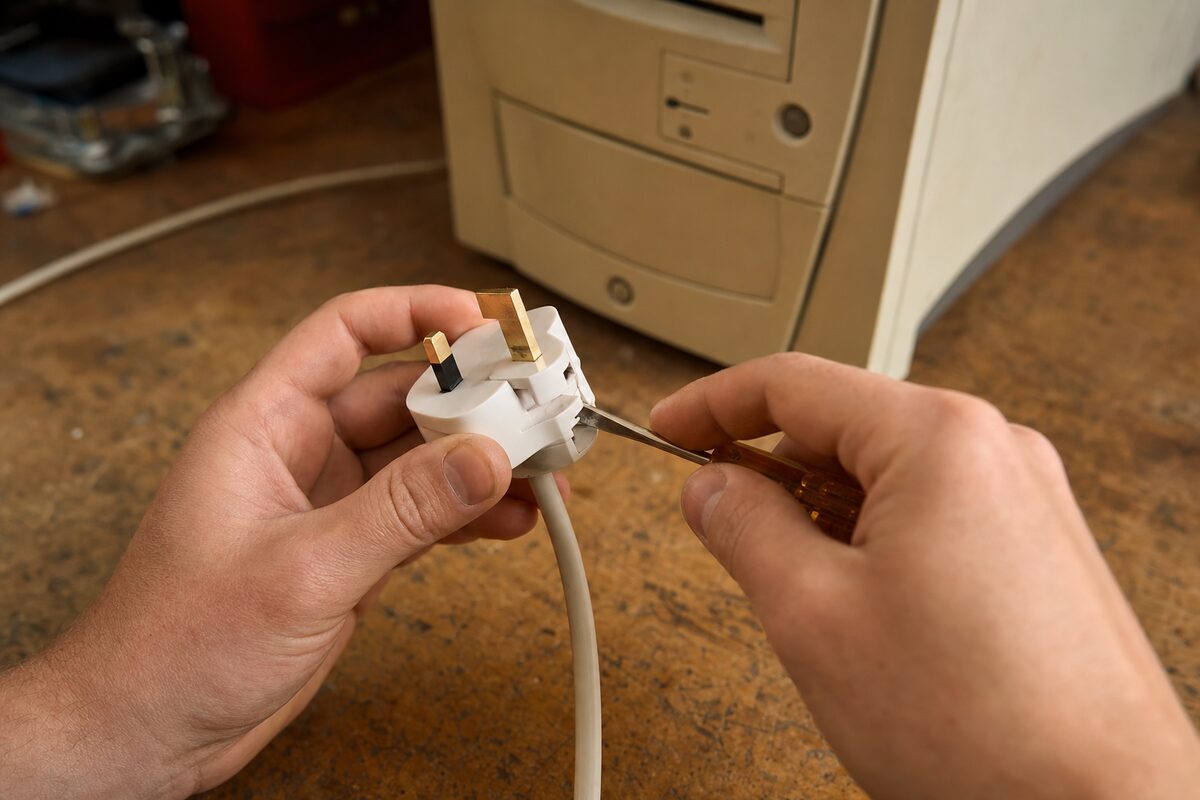
A desktop PC arrived with us on a Tuesday morning, carried in by a semi-retired gentleman — let's call him Gerald — who had already spent a weekend researching new computers on Amazon. He was resigned. The PC was dead. Completely, utterly, not-a-flicker dead. He pressed the power button, nothing happened. No fans, no lights, no startup sound, nothing at all. In his own words: "It's a goner."
He'd had the machine about four years, used it every day for emails, online banking and keeping up with the cricket scores. A solid workhorse of a desktop. He wasn't sure it was worth repairing — and he told us as much when he handed it over. "Just have a look, but I suspect you'll be telling me to bin it."
We told him we'd call him by the end of the day.
What We Expected vs What We Found
When a desktop PC is completely dead — not slow, not crashing, but producing absolutely no response to the power button — there's a mental checklist you run through. From most likely to least likely, it usually goes something like this:
- A blown fuse in the plug
- A faulty or dead power supply unit (PSU)
- A failed power button or front-panel connector
- A dead motherboard
- A power surge that's taken out multiple components
The last two are where repair costs start climbing quickly. A failed motherboard on an older machine often means it's more sensible to replace than repair. So we started at the top of the list — as you always should.
The Diagnosis: Start With the Stupidly Simple Stuff
First check: the fuse in the plug. We popped it out with a screwdriver and tested it with a multimeter. It was blown. Stone dead.
We replaced it with a spare 13-amp fuse, plugged the machine back in, and pressed the power button. The fans spun up, the system posted, Windows loaded. Gerald's desktop was absolutely fine.
That was it. That was the entire fault.
Now, a blown fuse on its own is sometimes a sign of something else — a brief power surge, a momentary spike on the mains, or occasionally an early warning sign of a failing PSU drawing too much current. So we didn't stop there. We ran the machine for a couple of hours under normal load, checked the PSU output voltages, listened to the hard drive, ran a quick health check on the main components. Everything came back clean. The PSU was fine. The fuse had almost certainly blown during a brief mains spike — not unusual after a stormy night, which Gerald confirmed they'd had that weekend.
Total time on the bench: about forty minutes, most of which was the extended run-in test rather than the actual fix.
Why Gerald Had No Idea — and Why That's Completely Understandable
Gerald is not a silly man. He's sharp, practical and capable of fixing plenty of things around the house. But here's the thing about modern desktop PCs: the power cable plugs directly into the back of the machine using an IEC socket (the chunky three-pin kettle-style plug). The fuse isn't in that end — it's in the plug that goes into your wall socket, exactly like any other UK appliance.
The issue is that most people never think to check the plug fuse on a computer. If a lamp stops working, you might try the bulb, then the fuse. But a PC? It feels far too complicated for the fault to be something that simple. Surely it must be the motherboard. Surely it must be something expensive and buried deep inside.
That assumption nearly cost Gerald several hundred pounds on a replacement machine he didn't need.
The Practical Lesson: Before You Panic, Check the Plug
This is the single most useful thing to take away from Gerald's story. If your desktop PC — or indeed any computer — suddenly stops responding entirely, before you assume the worst, check these things in order:
- Is the plug actually pushed fully into the wall socket? It sounds daft, but it happens.
- Is the wall socket switched on? Also sounds daft. Also happens.
- Is the fuse in the plug intact? Pull the plug, use a small screwdriver to open the fuse housing at the bottom of the plug, and swap the fuse with one from a known-working appliance. Fuses cost pennies at any hardware shop.
- Is the surge protector or extension lead working? Try plugging the PC directly into the wall.
- Is the power cable at the back of the PC seated properly? Give it a firm push and try again.
Only if all of those check out should you start worrying about the power supply or anything inside the case. And at that point, it genuinely is worth getting someone to take a look — because a failing PSU can, in some cases, damage other components if it's left to limp along.
For anyone who's comfortable with a screwdriver, our PC repairs page gives an idea of what's involved when the fix does go a bit deeper than a fuse.
What Gerald Said When He Came to Collect It
He laughed. Genuinely laughed — at himself, at the situation, at the fact he'd spent two days on PC review websites when the answer was a 50p fuse from the kitchen drawer.
"I feel a bit daft," he said.
He shouldn't. This is one of the most common reasons a desktop comes through the door at Advantec Computing. Not the most glamorous repair story — but probably the most instructive one. The expensive-looking fault and the dead-simple fault can look identical from the outside. The trick is knowing which end of the checklist to start from.
Always start with the fuse.