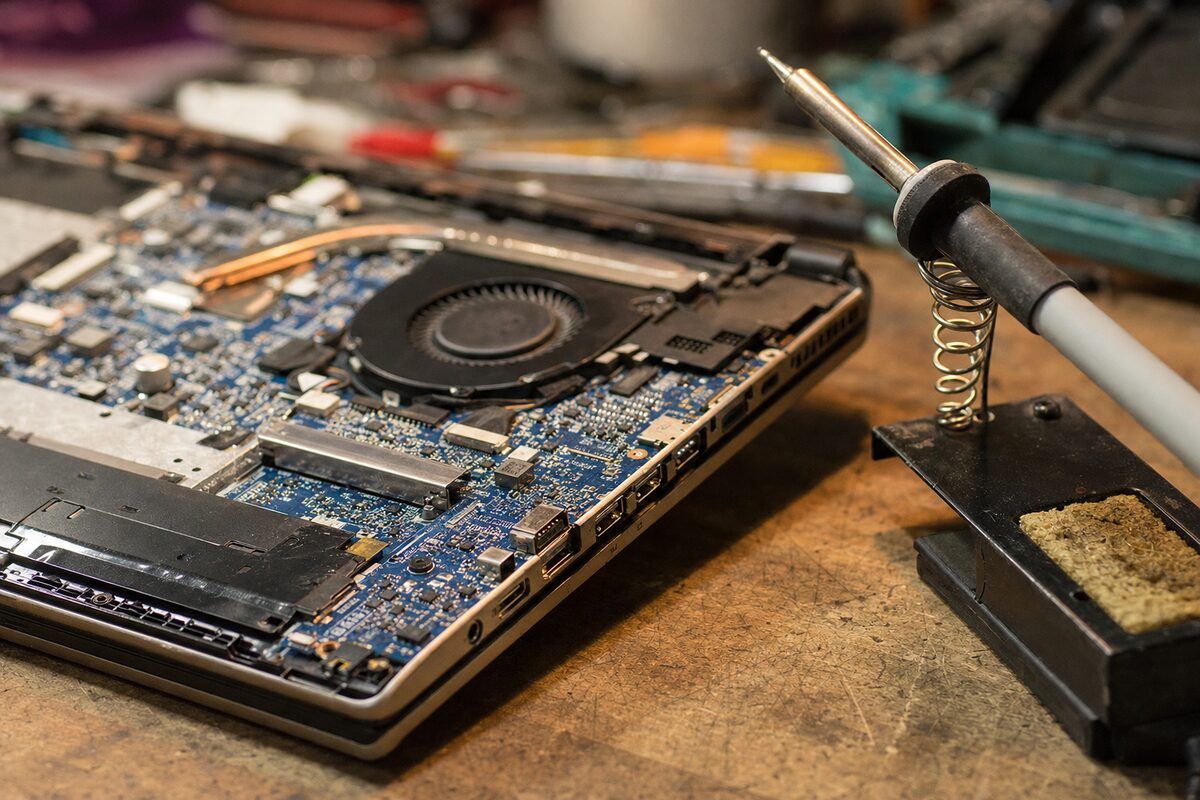
Sandra — not her real name, but the kind of person you'd recognise immediately — had been putting up with her laptop for about four months before she finally brought it in. A mid-range Windows machine, three years old, nothing exotic. She used it at the kitchen table every morning and at her desk in the evening. It had started freezing. Sometimes the screen flickered. Twice it had crashed completely and rebooted itself without warning.
She'd already run a virus scan. She'd Googled the symptoms. She'd read three forum threads that all pointed confidently in three completely different directions — overheating, a failing hard drive, or a dodgy Windows update. One suggested reinstalling Windows entirely. She was understandably fed up.
What she told us when she came in: "I think it's on its way out. My son says I probably need a new one."
What made the situation odd — and what she mentioned almost as an afterthought as she handed it over — was this: "Actually, it seems fine when I'm just using the battery. It's mainly when it's on charge."
That one detail changed everything.
What We Did First
Before opening anything up, we always spend time just using the machine as a normal person would — because faults that feel random are often anything but. We plugged in the charger and within about eight minutes, the screen flickered. Fifteen minutes in, it locked up hard. Unplugged it, let it run on battery. Forty minutes of normal use: not a single hiccup.
This immediately told us the fault was tied to the charging circuit, not Windows, not the storage drive, and almost certainly not malware. The software rabbit-holes Sandra had been down were a dead end from the start — through no fault of her own, because the symptoms genuinely looked like a software problem if you didn't know about the charging connection.
We ran a quick battery health check. The battery itself was in reasonable shape — about 78% of original capacity, which is normal for three years of daily use. Nothing there to explain the crashing.
The Culprit Nobody Expects: The DC Jack
When we opened the machine up, the answer became obvious almost immediately. The DC charging jack — the small socket on the side of the laptop where the charger plugs in — was loose. Not dramatically loose; you wouldn't necessarily notice just by plugging in the cable. But internally, the solder joints connecting it to the motherboard had fractured. Two of the four joints had cracked clean through.
This is more common than most people realise, and the reason it causes such strange symptoms is this: a fractured DC jack doesn't simply stop working. Instead, it makes intermittent contact. Power gets in, but not cleanly. It fluctuates slightly. The motherboard — which is designed to regulate incoming power very precisely — sees that fluctuation as noise on the line. When the laptop is under any kind of load (even just browsing and playing a YouTube video), those tiny voltage irregularities are enough to trigger a protection shutdown or cause the system to become unstable.
On battery alone, none of that happens. The battery delivers clean, stable power directly. So the laptop behaves perfectly.
The flicker Sandra had seen? That was almost certainly the display briefly losing stability as the power delivery stuttered. The crashes were the motherboard's protection circuitry doing its job — badly timed from Sandra's perspective, but actually working as intended.
The Fix — and Why It Matters to Get It Right
DC jack replacement sounds simple, but it has to be done properly. The jack needs to be desoldered cleanly from the motherboard, the old solder removed without damaging the pads, and a new jack resoldered with solid, clean joints. If it's done carelessly — or if someone just blobs fresh solder over cracked joints without addressing the root cause — the fault will return within months.
In this case, the repair was straightforward. New jack, clean solder joints, tested under load for over an hour on the bench before we were satisfied. Total cost was well under what a replacement laptop would have been. Sandra was genuinely surprised — she'd mentally written the machine off.
If you've got a laptop that's playing up, our laptop repair service covers exactly this kind of diagnosis and fix — we'd rather find the real cause than guess at it.
The Practical Lesson
There are a few things worth taking away from this:
- When does it happen? is often more useful than what happens? — Symptoms that only occur in one specific situation (plugged in, on battery, when warm, after an hour of use) are massive clues. If you can identify a pattern, tell whoever is looking at your machine. That one detail Sandra mentioned almost in passing was the thing that pointed us straight to the answer.
- Intermittent faults are the hardest to diagnose remotely — Forum advice and online symptom-checkers tend to match the description of a fault, not the underlying cause. A cracked solder joint looks identical in description to a failing hard drive or a corrupted Windows install. Real diagnosis requires actually watching the machine behave.
- DC jacks take more mechanical stress than people realise — Every time you plug in your charger, you're exerting a small sideways or downward force on that joint. Over hundreds of connections across three years, that adds up. It's especially common on laptops that live permanently plugged in on a desk, because the cable tends to sit at an angle and apply constant gentle pressure.
- A fault that's getting worse is urgent — Sandra had been living with this for four months. In that time, the cracked joints had likely widened. Left longer, there's a real risk of damage to the motherboard pads themselves, which turns a straightforward repair into a much more expensive one — or makes the machine unrepairable.
The Bigger Picture
The story Sandra had in her head — "my laptop is dying, my son says I need a new one" — is one we hear regularly. And sometimes, honestly, it's true. But just as often, a machine that feels like it's on its last legs has a single, specific, fixable fault. The difficulty is that modern laptops are complex enough that symptoms can point in several directions at once, and without actually getting hands on the machine, it's genuinely hard to know which direction is right.
The most expensive assumption you can make is that a problem is unfixable before anyone's properly looked at it.
Sandra's laptop is still going. She sends the occasional message through to let us know — most recently to say she'd just had it for another year and it was still running without a single crash. Sometimes the boring answer is the right one: it wasn't Windows, it wasn't a virus, it wasn't the battery. It was a tiny joint the size of a match-head that had given up after three years of daily use.