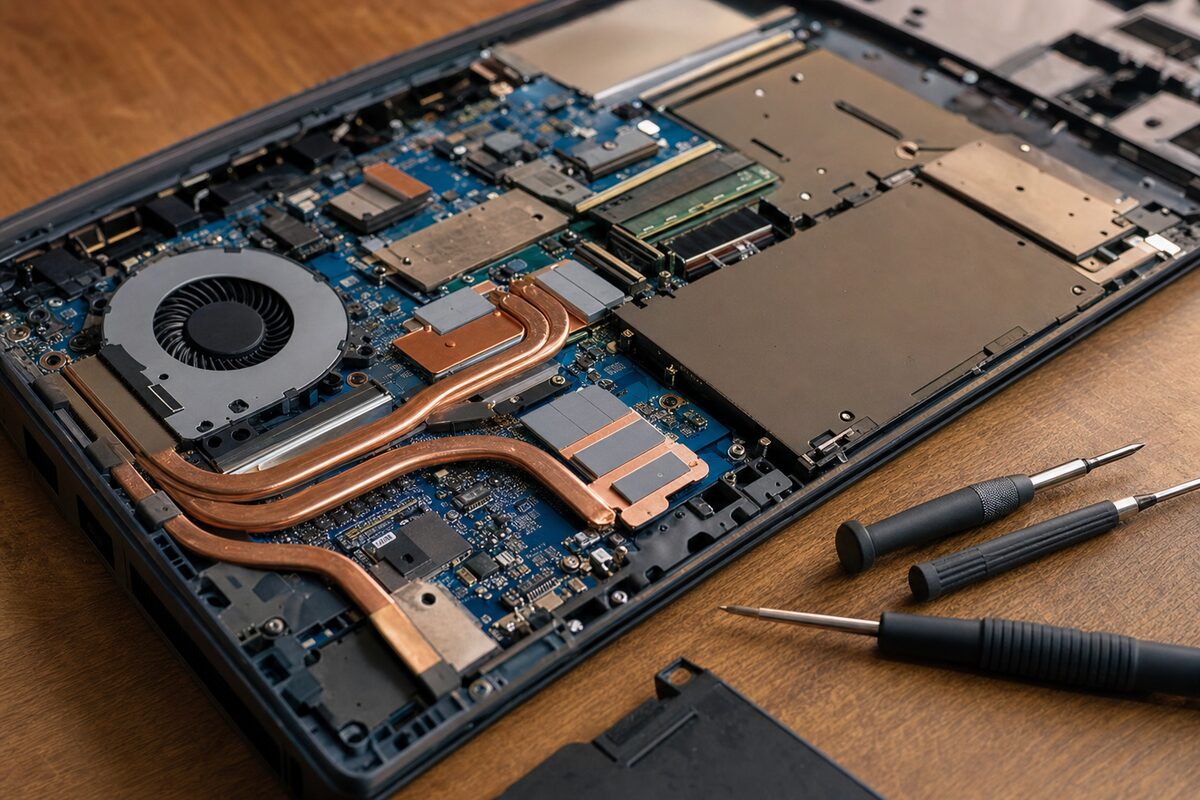
A man we'll call David — retired, uses his laptop every day for emails, online banking, and an embarrassing amount of YouTube — brought his machine in last autumn convinced it was on its last legs. "It's boiling hot, it's slow as anything, and the fan sounds like a hairdryer," he told us. "My son said I probably need a new one."
He didn't need a new one.
What David Thought Was Wrong
His diagnosis, understandably, was age. The laptop was about five years old — a mid-range Windows machine, well looked after on the outside, used mostly on a desk. He'd noticed over the past few months that it got very hot to the touch on the bottom left, that it slowed down noticeably when he was doing anything more demanding than reading emails, and that the fan ran constantly and loudly. He'd googled the symptoms and convinced himself the processor was dying.
It's a reasonable conclusion. Those symptoms — heat, noise, slowness — do often point toward the end of a component's life. But they also point toward something much simpler.
What We Found Inside
We opened it up expecting the usual: a fan clogged with compacted grey fluff, dried-out thermal paste between the processor and its heatsink, maybe a blocked exhaust vent. Those are the common culprits when an older laptop starts running hot, and nine times out of ten they're straightforward to fix.
The fan was almost clean. The vents were clear. The thermal paste was old and dry, yes, but that alone wouldn't explain the severity of what David was describing. So we looked more carefully — and that's when we spotted it.
One of the small screws that clamps the heatsink down onto the processor was missing. In its place, sitting loosely in the hole, was a screw that was about two millimetres too long. It looked right at a glance. It even felt like it had tightened. But because it was slightly too long, it had bottomed out in the hole before the heatsink plate had made proper contact with the processor beneath it.
The heatsink — the metal block whose entire job is to draw heat away from the processor and carry it to the fan — was barely touching the chip it was supposed to be cooling. There was a tiny but critical gap. The processor was generating heat with nowhere to go, throttling itself down to avoid damage, and screaming for help via the fan.
How It Got That Way
We asked David if anyone had been inside the laptop before. He thought for a moment, then remembered: about a year ago, his son had opened it up to blow out some dust with a can of compressed air. A well-meaning attempt at maintenance — exactly the kind of thing a lot of people do. Somewhere in that process, the correct screw had been lost and replaced with one that looked close enough.
No blame to the son at all. It's an easy mistake. Laptop screws are tiny, look almost identical to each other, and it's genuinely difficult to tell a 2.5mm screw from a 2.5mm screw that's 1.5mm too long without measuring them. But the consequences, in this case, had been nine months of a laptop running at a fraction of its potential while its owner assumed it was dying.
The Fix — and the Result
We sourced the correct replacement screw, reseated the heatsink properly, and replaced the dried thermal paste while we had everything apart — it would have been daft not to. The whole job took less than two hours.
The difference was immediate and dramatic. Processor temperatures under load dropped by over 30 degrees Celsius. The fan, no longer trying to compensate for a fundamental heat transfer failure, ran quietly and only when actually needed. The thermal throttling — the processor deliberately slowing itself down to avoid overheating — stopped entirely. David's laptop felt, by his own description when he came to collect it, "like a different machine."
It wasn't a new machine. It was just the machine it had always been, finally allowed to do its job properly.
The Practical Lesson
There are a few things worth taking away from this story.
- Heat and slowness together usually mean thermal throttling — the processor protecting itself. That's a symptom, not a diagnosis. The cause could be dust, old paste, a failing fan, or, as here, something less obvious entirely.
- DIY laptop maintenance isn't wrong — blowing out dust is a reasonable thing to do. But laptop internals are fiddly, screws are easy to lose or swap, and reassembly is where things most often go quietly wrong.
- If someone's been inside your laptop before, and it subsequently developed problems, mention that when you bring it in. It's not about blame — it's genuinely useful diagnostic information.
- "My son says I need a new one" is not always wrong — but it's worth a professional look before you spend several hundred pounds. A second opinion from someone who can actually open the machine costs very little and occasionally saves a lot.
- Age alone doesn't cause overheating. A five-year-old laptop, properly maintained and with nothing physically wrong, should run perfectly well. Don't write off a machine based on the year it was made.
We see laptops brought in for overheating regularly, and the causes vary more than you'd expect. Dust is common. Dried thermal paste is common. A failing fan is common. A wrongly sized screw quietly defeating the entire cooling system for the better part of a year? Less common — but not as rare as you'd think.
The broader point is that laptop problems, even ones that feel serious, are often fixable in ways that aren't obvious from the outside. David walked in expecting to hear he needed a new computer. He walked out with the one he already had, working properly again, for a fraction of replacement cost.
That's a good day's work.