She'd already convinced herself it was a virus. Or maybe Excel itself had "gone corrupt" — a phrase we hear a lot. Either way, the laptop had to go, surely. It was doing something so specific, so repeatable, that she'd started timing it: open Excel, wait roughly four seconds, hard crash. Black screen. Every single time.
Everything else worked fine. She could browse the web, write emails, watch videos — no bother at all. But the moment Microsoft Excel launched a spreadsheet of any real size, the machine died. She'd tried reinstalling Office. She'd run Windows Update until there was nothing left to update. She'd even done a full factory reset, which wiped a morning's worth of work and fixed precisely nothing.
What She Brought In — and What She Told Us
The laptop was a mid-range Windows machine, about three years old. She used it for her bookkeeping work — nothing exotic, just spreadsheets, invoices, and a cloud accounting package. She brought it in with a clear, calm description of the problem, which is actually more helpful than people realise. "It only crashes in Excel" is a far better starting point than "it keeps doing funny things."
Her theory was understandable: Excel must be broken, or something had infected it. She'd read something online about macro viruses hiding in spreadsheet files. She was worried her client files might be corrupted and was already drafting an apologetic email to her clients in her head.
We told her not to send that email just yet.
Where the Diagnosis Started
The first thing we did was try to reproduce the crash — which took about thirty seconds. Opened Excel, loaded one of her larger spreadsheets, watched it die. Clean, repeatable, reliable. That's actually good news in fault diagnosis: a problem you can reproduce consistently is a problem you can usually solve.
A crash that happens only in one specific application, and only under load, points in a fairly particular direction. It's not usually a virus — malware tends to be messier and less selective. It's not usually a software fault either, because a factory reset had already ruled that out. What it does suggest is a hardware component that's struggling when it's asked to work harder than usual.
The prime suspect: RAM.
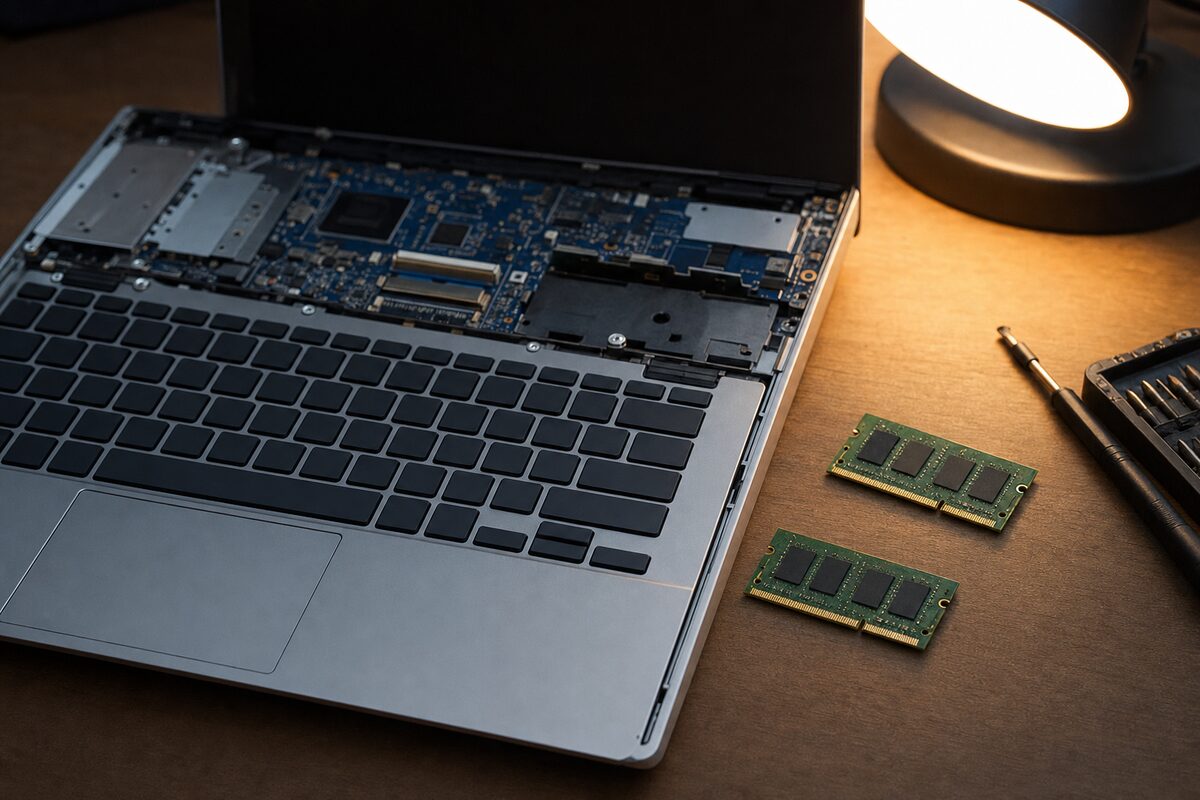
RAM — your computer's short-term working memory — is what gets used heavily when you open a demanding application like Excel with a large file. Browsing the web or watching a video uses comparatively little of it. A spreadsheet with thousands of rows, formulas, and conditional formatting? That pushes RAM much harder.
What the Tests Showed
We ran a memory diagnostic — a tool that writes patterns of data to every part of the RAM and reads them back, looking for errors. The first pass came back clean. This is where a lot of people might give up and conclude it's not the RAM. We didn't, because some RAM faults only appear under sustained thermal load.
We ran a more aggressive, extended test — the kind that takes a couple of hours and genuinely heats the memory up as it works. This time, errors appeared. Quite a lot of them, clustered in one area, which told us one of the two RAM sticks was faulty. Not completely dead — just unreliable above a certain temperature and load level. Enough to hold things together for light tasks, but not enough to cope with Excel doing serious work.
We removed the faulty stick, ran the machine on the single remaining good stick, and opened Excel. Loaded the same large spreadsheet. No crash. Ran it for twenty minutes, opened multiple files, threw everything at it. Completely stable.
The Fix — and the Unexpected Bonus
The solution was a replacement RAM stick — a matched pair, so she ended up with the same total memory as before, just reliable this time. Fitting it took minutes. The laptop repair itself was straightforward once the diagnosis was done; it's the diagnosis that takes the time and the care.
The unexpected bonus: she mentioned, almost as an aside, that the laptop had "always felt a bit sluggish." We checked the storage while we had it open and found a traditional spinning hard drive — the older, slower type. We suggested an SSD upgrade while everything was apart. She said yes, and the laptop that came back to her was noticeably faster than it had been even before the fault developed. She said it felt like a new machine, which is a thing customers say, but in this case it was genuinely true.
The Practical Lesson in All of This
There are a few things worth taking away from this one.
- Repeatable crashes are usually hardware, not software. If resetting or reinstalling fixes nothing, the fault is almost certainly physical — and the most common culprits are RAM and storage.
- Application-specific crashes are a clue, not a coincidence. When a crash only happens in one program, think about what that program demands from the hardware. Heavy RAM use, heavy disk use, heavy graphics — each points somewhere different.
- The first diagnostic test isn't always enough. A quick memory test will catch obvious faults, but some failures only reveal themselves under sustained load. Patience in testing pays off.
- A factory reset is not a hardware fix. It's a useful step, but it only rules out software. If the problem persists after a reset, stop reinstalling things and start thinking about the physical components instead.
- Faulty RAM rarely kills the whole machine instantly. It often causes selective, puzzling behaviour — crashes in specific apps, random freezes, or errors that seem inexplicable. If your computer is doing something weird that you can't explain, RAM is always worth checking.
As for the virus theory: her files were completely clean. The apologetic email to her clients was never needed. The bookkeeping carried on. And Excel, for the first time in months, behaved itself.
Sometimes the most satisfying repairs aren't the dramatic ones. They're the ones where a patient diagnosis finds a small, hidden fault — and the fix turns out to be simpler than anyone feared.