Margaret — not her real name, but the kind of name that fits perfectly — came in on a Thursday morning carrying a laptop bag and the expression of someone who'd already convinced themselves of the diagnosis before they'd arrived.
"The screen's gone," she said, setting the bag on the counter. "It charges absolutely fine — the little light comes on and everything — but when I press the power button, nothing happens. Not even a flicker. It must be the screen."
She'd had the laptop about four years. A decent mid-range Windows machine, well looked-after, not a scratch on it. The week before, she'd closed it at the end of a working day as normal. The next morning: nothing. She'd tried a different socket, tried holding the power button, tried everything she could think of. The charging indicator glowed orange as cheerfully as ever. The laptop itself was completely, stubbornly dead.
Why "the screen's gone" was almost certainly wrong
It's a reasonable guess, and it's one we hear fairly often. When a laptop appears to do nothing — no image, no startup sounds, no response — the screen is the obvious suspect. But there's a quick way to tell the difference between a dead display and a laptop that simply isn't powering on at all.
A laptop with a failed screen but a working system will still show signs of life: you'll usually hear the fan spin, feel a faint vibration, maybe hear the startup chime if there is one. The keyboard backlights may come on. Sometimes you can even coax an image out of it by connecting an external monitor.
Margaret's laptop did none of those things. Press the power button and — nothing. No fan, no sound, no warmth. It wasn't that the display had failed. The laptop wasn't turning on at all.
The first thing we checked — and what we found
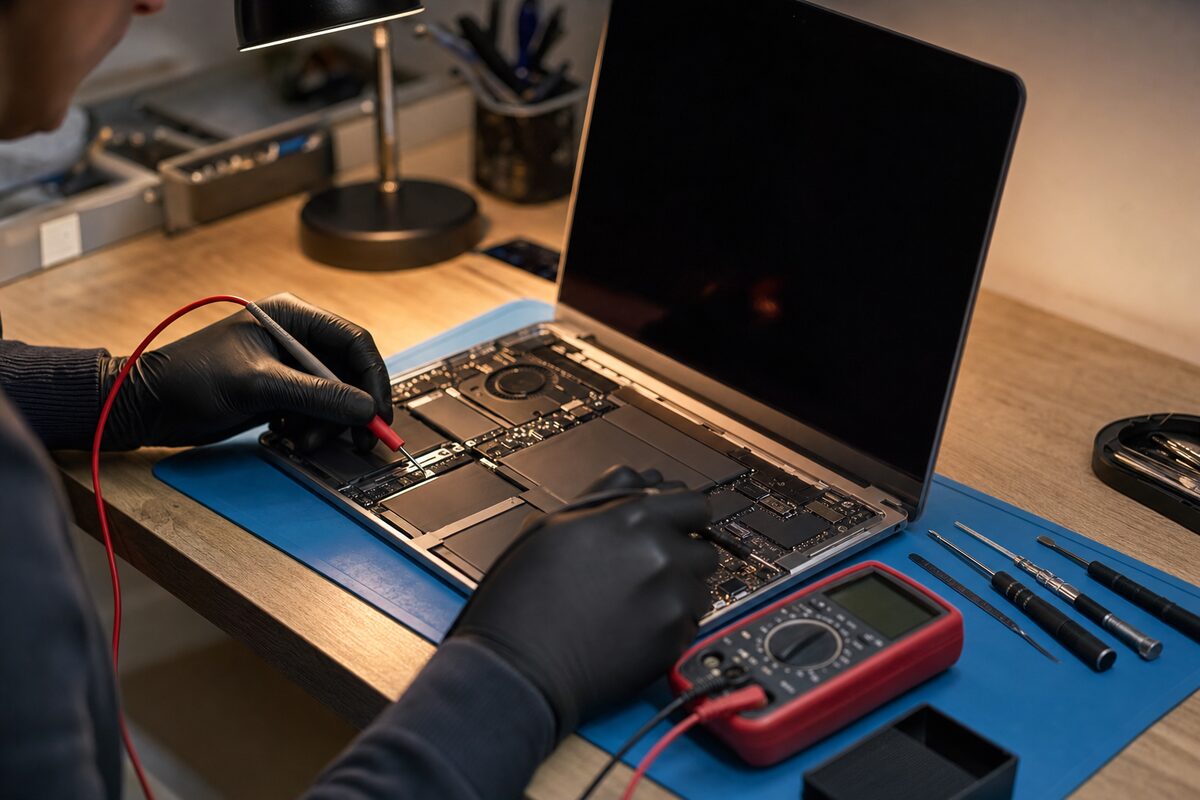
The charger light being on is reassuring, but it doesn't tell the whole story. A charger can show green or orange and still be delivering the wrong voltage, or no useful current at all. So the first step was to measure what the charger was actually putting out.
It was fine. Spot on, in fact. So we moved on.
We removed the battery — a removable pack on this particular model — and tried running the laptop on mains power alone. Still nothing. Then we tried a known-good replacement battery. Still nothing. We reseated the RAM, which can occasionally cause a complete failure to post. Nothing.
At this point, the evidence was pointing somewhere uncomfortable: the motherboard itself.
The real culprit — hiding in plain sight
Before assuming the worst, there was one more thing to check. On many laptops there's a small component near the charging circuit — sometimes called the power management IC, sometimes a charging controller chip — that sits between the charger socket and the rest of the board. Its job is to regulate incoming power and tell the battery when to charge and when to stop.
When these chips fail in a particular way, something strange happens: they'll still allow enough current through to light up the charging indicator — just as Margaret had seen — but they won't allow the board to power on. From the outside, it looks exactly as if the laptop is charging normally. From the inside, it's a completely dead circuit.
Under magnification, we found it. A tiny component on the board near the DC jack, visibly damaged — not from a drop or a spill, but from age and heat cycling over four years of daily use. The laptop had been charging every night, the component had been gently stressing, and one morning it simply gave out.
The DC jack itself was also slightly loose — not enough to cause intermittent charging, but enough to have been introducing a small amount of extra resistance over time. That kind of slow, low-level stress is exactly what wears these components down prematurely.
How it was fixed — and what it cost
Component-level board repair isn't something every repair shop offers, but it's often the difference between a £90 fix and a £400 replacement. In this case, the damaged component was reflowed and replaced, the DC jack was resoldered properly, and the laptop was back on Margaret's desk two days later — all her files intact, Windows exactly as she'd left it.
She'd been braced for bad news. A new laptop, or at best an expensive repair. The actual bill was a fraction of what she'd feared.
The practical lesson — for the rest of us
There are a few things worth taking away from Margaret's story:
- A charging light doesn't mean the charger is working properly. It means some current is flowing. That's not the same thing.
- A completely dead laptop isn't automatically a dead laptop. No power at all — no fan, no sound, no warmth — is a specific symptom that points to the power circuit, not the screen.
- Four years of daily charging is a long time. The DC jack and the components around it take a small amount of mechanical and thermal stress every single day. If your laptop is in that age range and you're noticing it's fussier about the charger angle than it used to be, it's worth having the jack looked at before it becomes a bigger problem.
- Don't self-diagnose before you bring it in. It's completely natural to arrive with a theory — we all do it. But the first job is always to rule things out systematically. Margaret's screen was perfectly fine.
The broader point is this: when a laptop dies suddenly and completely, the cause is almost never what it looks like from the outside. A dead screen looks like a dead screen. But a dead power circuit, a failing charging chip, a loose jack — these all look like a dead screen too, until you start measuring things properly.
If your laptop has gone completely unresponsive — especially if it's a few years old and the charger cable has been plugged and unplugged hundreds of times — it's well worth getting it looked at before writing it off. The files on the drive are almost certainly fine. And the repair might be simpler than you think.