We see a surprising number of people walk through the door carrying a snapped USB stick or a cracked spinning hard drive — the old backup drive that lived at the bottom of a bag for three years and finally met its match. They're usually hoping we can get the files back. Sometimes we can. Sometimes, via our data recovery service, we can retrieve most of them. But the easier answer — always — is a decent backup in the first place.
So when people ask us what we'd actually recommend for portable storage and everyday backup, we've been pointing a lot of them towards the Samsung T9 portable SSD (1TB, around £95 at time of writing). Not because it's the cheapest option, and not because Samsung pays us anything — they don't — but because it genuinely solves the problem without creating new ones.
What is it, exactly?
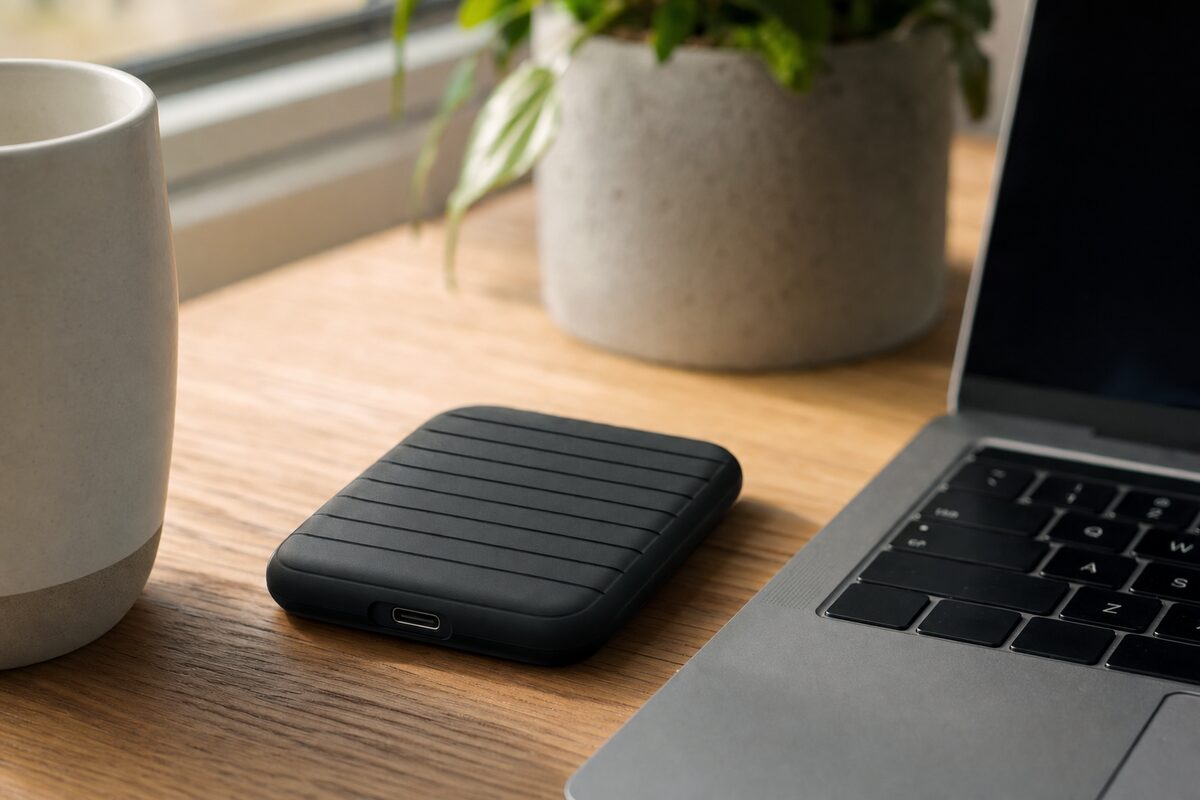
The Samsung T9 is a solid-state drive in a little rubberised case roughly the size of a matchbox. There's no spinning disk inside — it's the same flash memory technology used in your phone. That matters for two reasons: it's far more resistant to knocks and drops than a traditional hard drive, and it's genuinely quick. We're talking read speeds of up to 2,000 MB/s over its USB 3.2 connection, which is fast enough to edit video directly from the drive, run a portable app, or restore a large backup in minutes rather than hours.
It comes in 1TB, 2TB, and 4TB sizes. For most home users, 1TB is plenty. For small businesses archiving years of documents, photos, and project files, 2TB is sensible. The 4TB version is there if you need it, but at that capacity a desktop NAS box is probably a smarter long-term investment.
Who it's actually for
This drive suits a fairly specific type of person, and it's worth being honest about that.
- Laptop users who move around — if you work from different locations, or travel, carrying a tiny rugged SSD is far more practical than lugging a 2.5-inch spinning drive.
- Anyone doing a proper backup for the first time — plug it in, copy your important folders, unplug it. Simple, reliable, physical. No subscriptions, no cloud.
- Creative freelancers — photographers, video editors, and designers who deal with large files will notice the speed difference over a standard USB drive immediately.
- Small business owners who want an off-site backup — take it home at the end of the day. If the office floods, burns, or gets broken into, your data is safe.
- Anyone upgrading an old laptop — rather than spending hundreds on a new machine, some people use an external SSD alongside an internal SSD upgrade to give an ageing laptop a completely new lease of life.
What's genuinely good about it
The build quality is the first thing you notice. It's heavier than it looks, with a rubberised shell that feels like it could survive being dropped on a tiled floor — Samsung rates it to survive drops of up to three metres and gives it an IP65 rating for dust and water resistance. That's not "splash-proof with caveats" — it means you can rinse it under a tap. We wouldn't recommend testing that unnecessarily, but it's reassuring.
The speed is real-world fast, not just spec-sheet fast. Plugged into a modern laptop with a USB 3.2 or Thunderbolt port, large file transfers that would take fifteen minutes on a spinning drive take two or three. Day to day, that means your backup actually gets done, because it isn't a chore.
It works with Windows, Mac, and Android without any fiddling. Samsung ships it formatted as exFAT, which both operating systems read natively. There's no software to install unless you want it. It just works.
What's not so good
Honesty matters here, because no product is perfect.
- It gets warm under sustained load. Running a long backup or transferring hundreds of gigabytes, the case becomes noticeably warm to touch. It never gets hot enough to be a problem, but it can feel disconcerting if you're not expecting it. It's fine — SSDs generate heat when working hard.
- The cable is proprietary. It uses a USB-C to USB-C cable (included), but the Samsung end has a slightly recessed port. A standard USB-C cable doesn't seat quite right. Losing the included cable is annoying. Worth keeping a spare, or noting the cable model.
- It won't replace a proper backup strategy on its own. This sounds obvious but it's worth saying. If the drive lives permanently plugged into your laptop and both get stolen together, the backup has done nothing. Use it as part of a routine — plug in, back up, unplug and store separately.
- £95 is not nothing. There are cheaper portable SSDs. The SanDisk Extreme and WD My Passport SSD are both creditable alternatives at similar or slightly lower prices, and worth comparing. The T9 earns its price through its ruggedness and sustained speeds, but it's not the only sensible choice.
Setting it up for proper backups
The drive works out of the box, but a little setup makes it genuinely useful rather than just a very fast USB stick.
- On Windows: Use the built-in File History tool (Settings → System → Storage → Advanced storage settings → Backup options) to point your backup at the T9. Set it to run hourly. Done.
- On a Mac: Plug it in, open Time Machine preferences, and select the T9 as your backup disk. Mac will reformat it automatically and handle everything from there.
- For small businesses: Consider a simple scheduled robocopy script (Windows) or Carbon Copy Cloner (Mac) to automate nightly backups of your critical folders. If that sounds complicated, it takes us about ten minutes to set up — just ask.
Honest verdict
The Samsung T9 is a well-made, genuinely fast, reassuringly tough portable SSD at a price that makes sense for what it does. It's not cheap, but it's priced fairly for the quality. If you want something to live in a laptop bag, survive the occasional knock, and make backing up quick enough that you'll actually do it — this is one of the best options available right now.
If your priority is maximum capacity for minimum spend, a traditional spinning portable drive still offers better value per gigabyte. But if speed, durability, and portability matter — and for most people they do — the T9 earns its place on our recommended kit list.
The best backup drive is always the one you actually use. Make it easy on yourself.