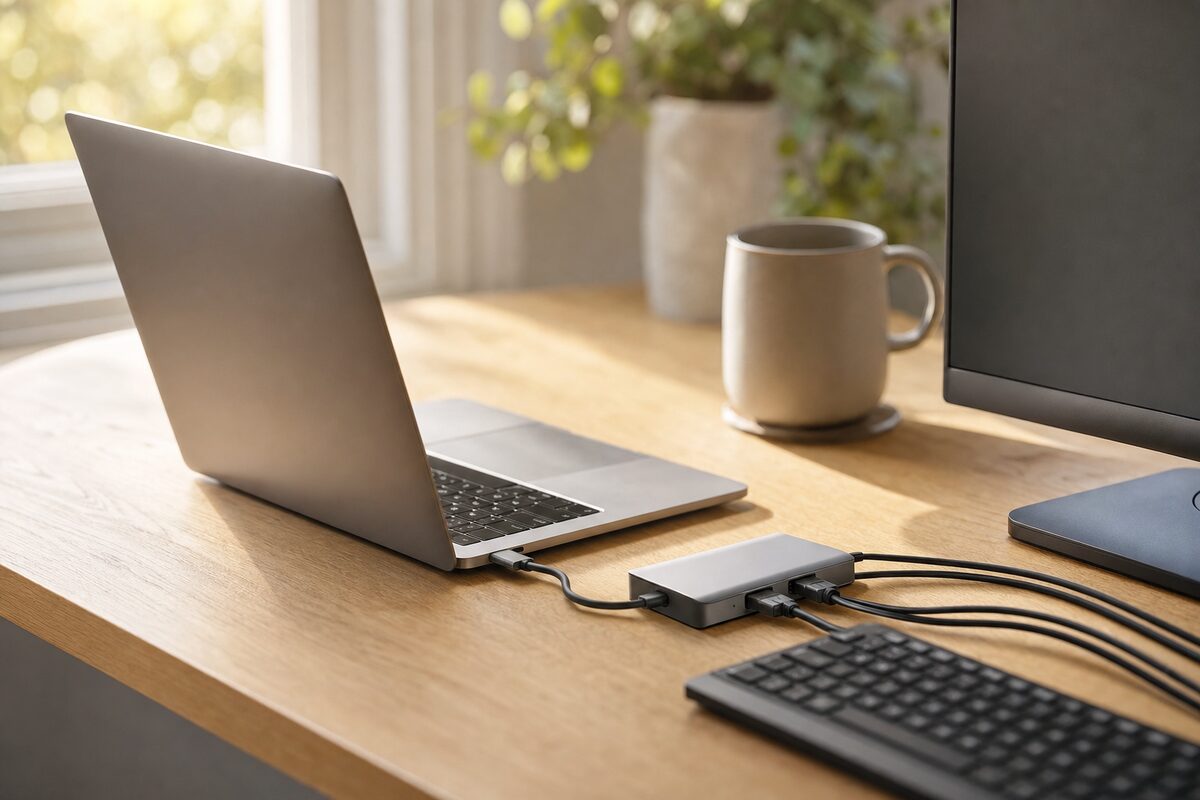
There's a particular kind of cable chaos that builds up quietly on a home-office desk. A charging cable here, a mouse dongle there, an HDMI lead snaking across to a monitor, and — somewhere underneath the keyboard — a USB stick you've been looking for since Tuesday. It's not dramatic, but it grinds you down a little every morning.
The promise of a docking station or USB-C hub is simple: one cable connects your laptop to everything. Plug in, sit down, get on with it. But the price range is enormous — from £25 plastic dongle to £400 business dock — and it's genuinely difficult to know what's worth buying without trying it.
So here's an honest look at the Anker 552 USB-C Hub (9-in-1), which has been sitting on a desk here for a while now, used daily. It's available for around £85–95 depending on where you buy it, and it's one of the devices we point people toward when they ask what's actually worth getting. You can see it on our recommended kit page alongside a few other things we've found reliable.
What It Actually Is
The Anker 552 is a palm-sized aluminium box — about the length of a TV remote — that plugs into your laptop's USB-C port and gives you nine connections in return:
- Two USB-A ports (for mice, keyboards, USB sticks, etc.)
- One USB-C data port
- One USB-C charging pass-through (up to 85W)
- HDMI output up to 4K at 30Hz
- DisplayPort output up to 4K at 60Hz
- SD card slot
- MicroSD card slot
- Gigabit ethernet port
That's a meaningful set of ports — not a watered-down version. The ethernet connection alone is worth a lot if your broadband drops whenever someone puts the kettle on.
Who It's For
This hub is squarely aimed at people with a modern laptop that has a USB-C port — which includes most laptops made in the last four or five years, including MacBooks, Dell XPS machines, HP Spectres, Lenovo ThinkPads and many others. If your laptop only has old-style USB-A ports and an HDMI socket built in, you don't need this — and you wouldn't be able to use it anyway.
It's ideal if you:
- Work from home and want a proper desk setup without trailing cables everywhere
- Move between home and an office and want to arrive and leave with one cable swap
- Have a monitor, keyboard and mouse you want to use with your laptop
- Need a reliable wired ethernet connection (much stabler for video calls than Wi-Fi)
- Regularly transfer photos from a camera or card reader
It's a particularly good fit for freelancers and small-business owners who use a single laptop for everything and want it to feel more like a desktop when they're at their desk.
What's Good
The build quality is noticeably better than cheaper hubs. The aluminium casing feels solid, runs only slightly warm even under load, and doesn't develop the wobbly-port problem that cheaper plastic hubs get after a few months of daily plugging and unplugging.
Having both HDMI and DisplayPort outputs is genuinely useful. Most hubs give you one or the other — this one gives you both, which means you can drive two external monitors simultaneously without needing a second hub or adapter. That's a fairly unusual feature at this price point and it's the main reason this model stands out from the crowd.
The gigabit ethernet works exactly as you'd hope. Plug in a network cable and your laptop is online with a proper wired connection — no drivers needed, no fiddling. For anyone who does video calls, uploads large files, or just finds their Wi-Fi unreliable, this alone justifies the price.
The SD and microSD slots are a small but welcome touch, especially if you use a camera, drone or dashcam that stores footage on a card.
What's Not So Good
A few honest caveats worth knowing before you buy:
- It only works via USB-C. If your laptop doesn't have a USB-C port, this isn't for you. Some older Windows laptops don't have one — worth checking before ordering.
- The dual-monitor feature needs the right laptop. Not every USB-C port supports video output, and not every laptop will drive two monitors through a hub even if it can drive one. MacBooks with Apple silicon (M1, M2, M3) have their own restrictions on multi-monitor setups without extra software — worth researching your specific model first.
- The HDMI output maxes out at 4K/30Hz, not 60Hz. For most office use — spreadsheets, documents, video calls — 30Hz is absolutely fine. For anyone doing video editing or gaming, it's a limitation worth noting. The DisplayPort output does do 4K/60Hz, so if your monitor has both inputs you can use that instead.
- It's not a full Thunderbolt dock. If you have a high-end Thunderbolt laptop and need maximum bandwidth for multiple 4K monitors, storage arrays and so on, you'd want to look at a proper Thunderbolt 4 dock (expect to pay £150–250+). For most home and small-business users, the Anker 552 is more than sufficient.
Honest Verdict
For most people working from home or running a small business from a laptop, the Anker 552 does exactly what it should — reliably, without fuss, at a price that doesn't feel like a gamble. One cable in the morning, one cable out at the end of the day, and your desk doesn't look like the back of a TV unit.
It's not the right tool for everyone — check your laptop's USB-C capabilities before buying — but if the shoe fits, it's one of the more sensible £89 you can spend on your workspace. If you're unsure whether your laptop is compatible, it's worth asking someone before ordering rather than after.
If you're also thinking about upgrading your laptop's storage to get more out of your setup, our SSD upgrade service is worth a look — it's often the single biggest speed improvement you can make to an older machine. And if you're having any issues with your laptop's ports or connectivity, our laptop repair team is happy to take a look.