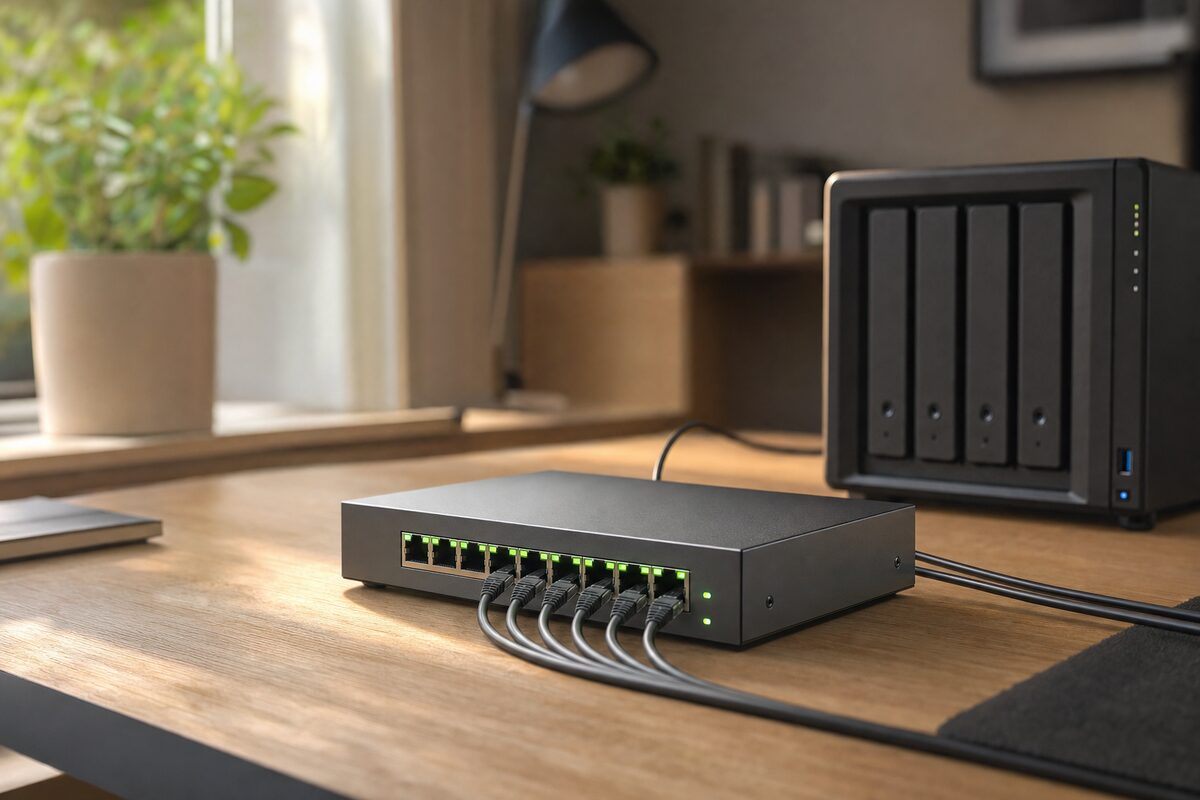
Most people have never heard of a managed network switch. It sounds like the sort of thing a data centre engineer keeps behind a locked cabinet, not something you'd find next to the kettle in a small accountancy firm in Kent. But the TP-Link TL-SG108E — a quiet, flat little box that costs around £85 — has become one of those pieces of kit we find ourselves recommending more and more often. Here's why, and more importantly, whether it's actually right for you.
What Even Is a Managed Switch — and Why Should You Care?
Your broadband router almost certainly has a handful of network ports on the back. Plug in a laptop here, a printer there, and you're done. That works fine for most households. But as soon as you add a NAS drive for backups, a desktop PC, a smart TV, a work laptop, and perhaps a second device for a family member also working from home, things start to get a bit messy — and a bit slow.
An unmanaged switch just adds more ports. It's dumb in the best possible way: plug things in, they all talk to each other, job done. A managed switch lets you do smarter things: prioritise certain types of traffic, keep your work devices on a separate virtual network from your kids' games console, and monitor what's actually happening on your network.
The TL-SG108E sits in an interesting middle ground. TP-Link calls it "easy smart" — it has some of the management features of a proper business switch, but it's genuinely simple enough that a non-technical person can get useful things done with it without calling for help.
What It Actually Does Well
Out of the box, the TL-SG108E behaves like any decent unmanaged switch. Eight Gigabit ports, solid metal casing, runs quietly and cool, and costs about the same as a decent restaurant meal for two. That alone makes it reasonable value.
Where it earns its keep is when you start using the web-based management interface. The features that home office and small-business users actually find useful include:
- VLANs (Virtual LANs) — keep your work traffic entirely separate from the rest of the household network, without needing a second router
- QoS (Quality of Service) — tell the switch that your video calls matter more than your teenager's streaming, so Zoom doesn't stutter mid-presentation
- Bandwidth monitoring — see which device is hogging the connection at any given moment
- Port mirroring — useful if you ever need to diagnose a network problem without specialist kit
- Loop prevention — quietly stops the sort of accidental network loops that can bring an entire office to a standstill
We've recommended this switch specifically to small businesses running a mixed network — perhaps a couple of staff machines, a shared printer, a NAS for file storage, and a guest Wi-Fi access point — where you want a little control without paying for enterprise-grade hardware or hiring a network engineer.
The NAS Drive Connection — Why This Matters for Backups
Here's a scenario we see regularly. Someone has a NAS drive set up for automatic backups, which is excellent practice. But the NAS is constantly being hit by backup jobs from multiple machines at once, while also serving files to whoever's watching something stored on it, while also being scanned by an overly enthusiastic antivirus. The whole network slows to a crawl.
With a managed switch, you can schedule bandwidth limits on specific ports during working hours, or give the NAS's port a lower priority so backup traffic doesn't compete with video calls. It's not magic, but it genuinely helps — and setting it up takes about twenty minutes once you know where to look.
The management software runs in any browser; there's no app to install. It's not beautiful, but it's clear enough, and TP-Link's documentation is better than most.
What's Not So Good
Honest downsides, because there are a few:
- The setup interface is dated. It works, but it feels like it was designed in 2011 and nobody's had the heart to redesign it since. On modern high-resolution screens it can look tiny.
- No PoE. If you want to power a Wi-Fi access point or IP camera directly through the network cable (Power over Ethernet), you'll need the pricier TL-SG108PE instead, which runs closer to £115.
- It's overkill for most home users. If you just want more ports, an unmanaged switch costing £20–£30 will do the job perfectly well. The managed features only justify the price if you'll actually use them.
- No cloud management. You manage it locally, which is actually a security plus for most people — but if you want to manage several switches remotely across multiple sites, you're looking at a different product range entirely.
Who Should Actually Buy This?
The TL-SG108E makes most sense if you recognise yourself in one of these situations:
- You work from home regularly and share the network with family — and your video calls suffer for it
- You run a small office with four or more wired devices and want some basic control over traffic
- You have a NAS drive and want to make sure backup jobs don't strangle everything else
- You're running a second Wi-Fi access point and want to keep guest traffic separate from your main network
If none of those apply, save your money and buy a plain unmanaged switch — or better yet, put it towards a good external backup drive. You can see the sort of kit we actually recommend on our recommended products page.
The Honest Verdict
The TP-Link TL-SG108E is quiet, well-built, and genuinely useful if your network has grown beyond "one router and a couple of things plugged in." It's not exciting. It sits in a corner doing its job without complaint, which is exactly what you want from network hardware.
At around £85, it's a fair price for what it offers — provided you'll actually use the managed features. If you're not sure whether your setup would benefit from it, the honest answer is: if you have to ask, you might not need it yet. But when you do need it, you'll be glad it exists.
As always, the best piece of kit is the one that solves a real problem you actually have — not one you might have in theory.