You've been on a video call. You know the person whose face is overexposed, slightly blurry, and lit from below by a laptop screen like they're about to tell a ghost story. You've smiled politely. You've said nothing.
There's a reasonable chance that person is you — and you don't know it.
Most laptop webcams, even on expensive machines bought in the last couple of years, are genuinely poor. They shoot at wide angles that distort your face, struggle badly in anything less than ideal light, and compress the image so aggressively that you look like you're calling from 2009. On video calls — whether that's with clients, colleagues, or your accountant — first impressions still count. And a bad camera quietly undermines them.
The good news is that the fix doesn't cost a fortune. The Logitech C920s has been around long enough that almost everyone in the know recommends it, and at around £75 it remains one of the most sensible purchases a home worker or small business owner can make. Here's an honest look at what you actually get.
Who Is This Actually For?
Before anything else: if you're on video calls fewer than a couple of times a week, your laptop camera is probably fine. But if any of the following apply, this is worth your attention:
- You work from home and meet clients or colleagues over Zoom, Teams, or Google Meet regularly
- You run a small business where your face on screen represents your brand
- You use a desktop PC, which typically has no camera at all
- You've upgraded to an external monitor and the laptop lid is now closed or off to the side (meaning the built-in camera is pointing at the ceiling or not working at all)
- You've watched a recording of yourself on a call and quietly winced
It's also worth noting that if you use a laptop that's getting on in years, the built-in camera was almost certainly an afterthought even when the machine was new. Older budget laptops especially have cameras that were barely acceptable in 2016.
What the C920s Does Well
The headline spec is 1080p full HD at 30 frames per second — and unlike some cameras that claim that and deliver something mushier, this one genuinely delivers it in decent light. The image is sharp, the colour is accurate, and the automatic low-light correction works better than you'd expect for the price.
The built-in dual microphone is genuinely good. You won't need a separate mic for most calls — voices come through clearly without that hollow, echoey quality that plagues cheaper options. It's not studio quality, but for a business call it's completely respectable.
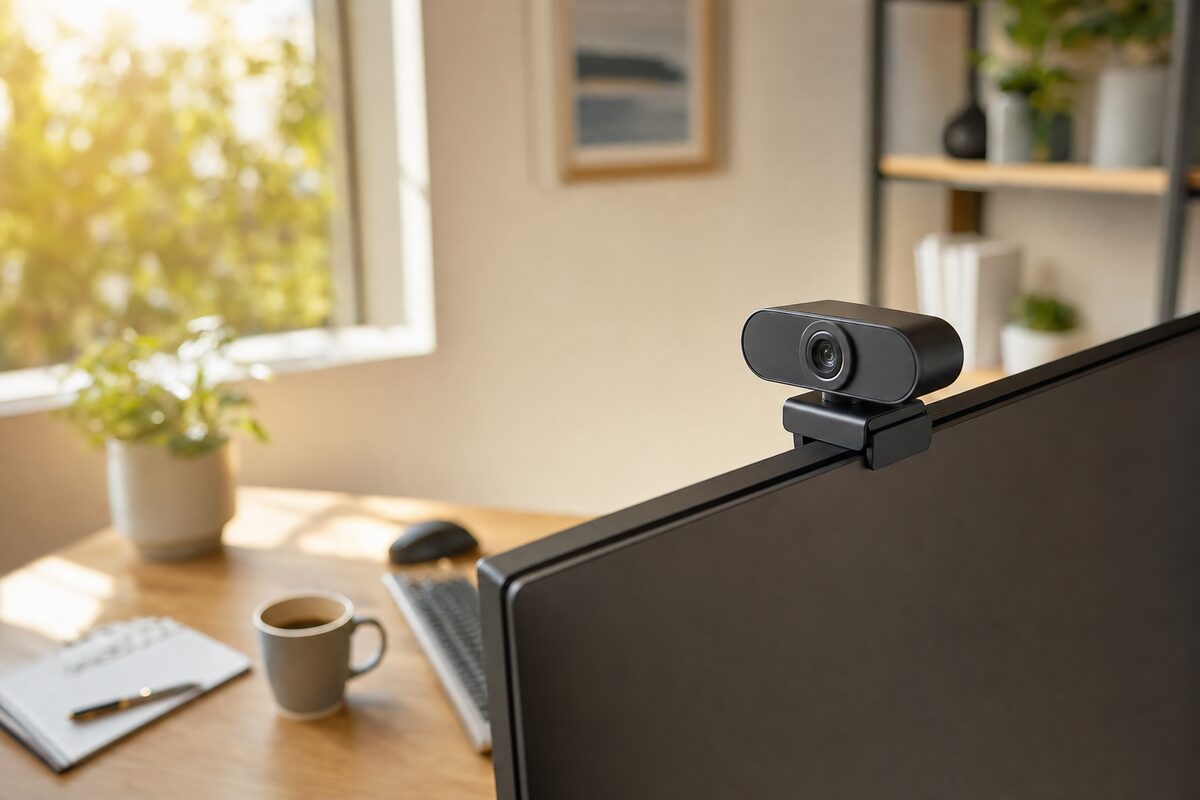
Setup is about as simple as it gets: plug it into a USB port, clip it to the top of your monitor or laptop screen, and you're done. No drivers to install, no software required (though Logitech's optional app does let you tweak settings if you want to). Windows and Mac both recognise it instantly.
The clip is sturdy and well-designed, gripping monitors of various thicknesses without wobbling around. There's also a built-in privacy shutter — a physical cover that slides across the lens — which is a genuinely useful feature if you care about privacy, and you probably should.
Where It Falls Short
Honesty requires mentioning the limitations, because no product at this price is perfect.
The autofocus is good but not instant. If you lean forward suddenly it takes a beat to catch up, which can look slightly odd on screen. It's rarely a real problem, but worth knowing.
In very low light — a dim room in the evening, say — the image gets noticeably grainier. The low-light correction helps, but it can't work miracles. If your home office is badly lit, a decent lamp pointed at your face (not behind you) will do more for your appearance on calls than any camera upgrade. The C920s rewards good light; it doesn't conjure it from nowhere.
It's also a USB-A connection, which is increasingly at odds with modern laptops that only have USB-C ports. You may need a small adaptor — not expensive, but slightly annoying if you weren't expecting it. If your setup is all USB-C, it's worth factoring that in.
Finally, the field of view is fairly wide at 78 degrees. That's fine for solo calls, but it will pick up whatever is behind you — so the pile of laundry on the sofa, the child sneaking past, or the slightly chaotic kitchen will all be visible to your colleagues. Background blur in Zoom or Teams handles this well enough, but it's worth a thought before your first call.
How It Compares to the Alternatives
There are cheaper webcams — lots of them, especially from brands you'll never have heard of on Amazon. Most of them look fine in a well-lit room and fall apart the moment the light changes. The savings rarely justify the quality drop, and you'll likely be back shopping again within a year.
There are also more expensive options. Logitech's own Brio 4K (around £170–£200) is genuinely excellent, but 4K video is streamed at 1080p by every major video call platform anyway — so you're paying a significant premium for a quality that Zoom will compress away. For most people, it's not worth the extra.
The C920s sits in a sweet spot: made by a reputable manufacturer, proven over years of real-world use, well-supported, and priced at a point where it's a sensible business expense rather than a splurge.
Honest Verdict
The Logitech C920s is not exciting. It doesn't have a flashy feature list or a story to tell. What it does is make you look and sound like a competent professional on video calls — which is exactly what it needs to do.
If video calls are a meaningful part of your working week, this is one of the more cost-effective upgrades you can make. It's not the cheapest option, and it's not the best option money can buy, but it is very likely the right option for most home workers and small business owners.
Worth every penny of the £75. You can find it at most major retailers, and we keep a list of kit we genuinely recommend over at our recommended gear page.