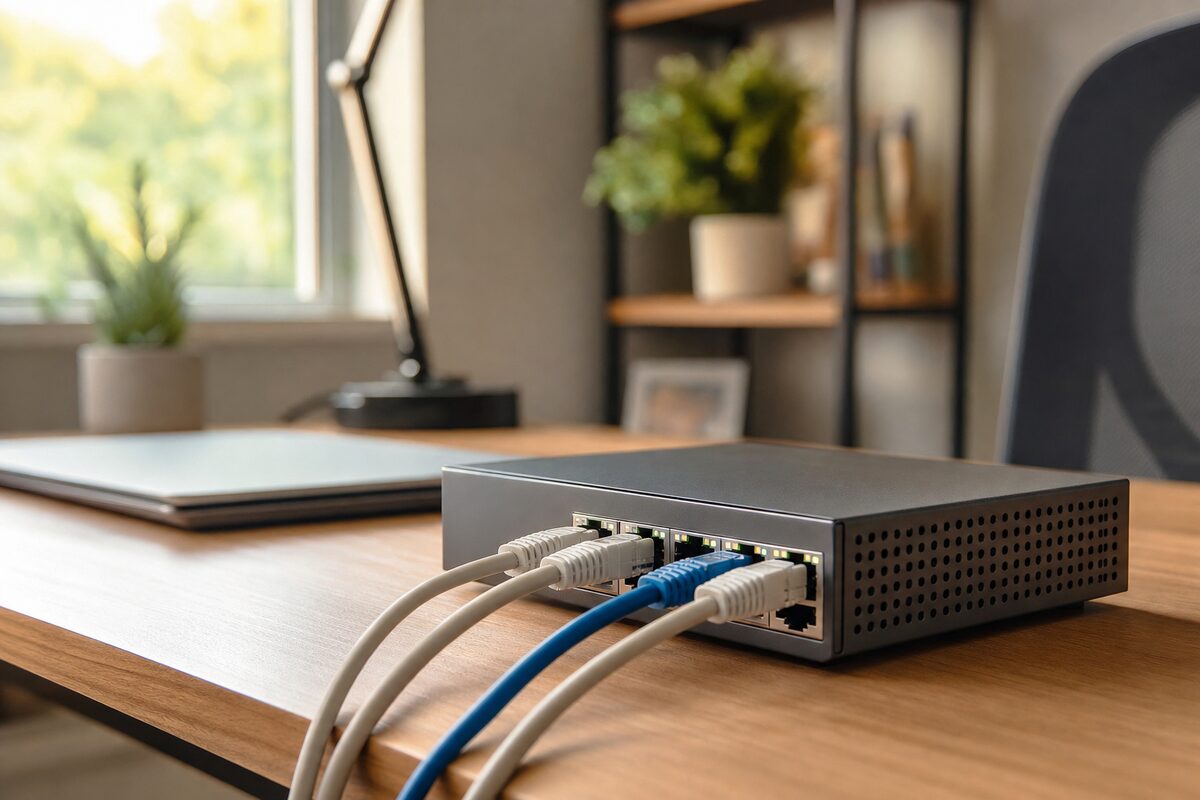
There's a particular kind of desk chaos that creeps up on you slowly. First you add a printer. Then a NAS drive for backups. Then a smart TV in the corner, a work laptop, maybe a desktop PC. Before long you're peering behind your router counting ports and realising you have four devices and exactly one spare socket. So you switch everything back to Wi-Fi, the video calls start stuttering, and you spend the next six months blaming your broadband provider.
The actual culprit, nine times out of ten, is that you just needed a network switch — a small, quiet box that turns one ethernet port into eight. They cost very little, last for years, and most people don't even know they exist. This is a review of the TP-Link TL-SG108, an 8-port gigabit switch that costs around £45 new (often less) and is, quietly, one of the most useful things you can add to a home or small-business setup.
What Is a Network Switch, and Why Would You Need One?
Your broadband router almost certainly has four ethernet ports on the back. That sounds like plenty — until you actually count up the wired devices in your home or office. A switch simply plugs into one of those router ports via a single cable and gives you a cluster of new ports wherever you need them. It's not a second router; it doesn't change your network settings or create any new hoops to jump through. You plug it in, and it works — immediately, silently, with no app, no login, and no ongoing subscription.
The TP-Link TL-SG108 gives you eight gigabit ports (that's fast enough for anything you'd actually do at home), draws about 4 watts of power, and sits neatly on a desk or mounts to a wall. It has no fan, so it makes absolutely no noise. There are no flashing LEDs bright enough to light up a room — just a modest row of green lights that tell you what's connected.
Who Is This Actually For?
This switch earns its place in a few specific situations:
- Home offices with several wired devices — desktop PC, NAS backup drive, printer, second monitor with built-in ethernet. A switch clears the logjam instantly.
- Anyone who works from home on video calls — wired ethernet is dramatically more stable than Wi-Fi. If your calls drop or pixelate, a cable often fixes it. A switch makes running that cable practical when your router is in a different room.
- Small business premises — a shop, studio, or small office with a handful of workstations. One switch near the desks, fed by a single cable from the router, keeps everyone wired and fast without calling an installer.
- Living rooms with a media cluster — TV, games console, streaming box, and a smart speaker all wanting wired connections. One switch, tucked behind the TV unit, handles the lot.
What's Good About It
The honest answer is: almost everything, for the price. Gigabit on all eight ports means you'll never feel throttled — it transfers data at up to 1,000 Mbps per port, which is far faster than most UK broadband connections and more than fast enough for local file transfers between computers. The build quality feels solid; it's metal-cased rather than cheap plastic, which helps with heat dissipation. Setup is genuinely zero-effort: unbox it, plug in the power, connect a cable to your router, connect your devices. That's it.
TP-Link has been making networking kit since 1996 and their unmanaged switches — the kind that just work without any configuration — have a strong reputation for reliability. We've recommended this model to customers at Advantec Computing for years and can count on one hand the number of times one has failed.
It also has an energy-efficient mode built in: it detects when a cable is unplugged and reduces power to that port automatically. Small detail, but nice.
What's Not So Good
In the spirit of honesty, a few caveats worth knowing:
- It's unmanaged — meaning you can't prioritise traffic, assign VLANs, or monitor usage per port. For home use this doesn't matter at all. For a more complex business network, you'd want a managed switch, which is a different (and pricier) category.
- No PoE — it won't power devices over ethernet, so if you want to run a PoE security camera or wireless access point directly from it, you'd need the TP-Link TL-SG1005P instead (around £30, five ports, one PoE port).
- No Wi-Fi — it only adds wired ports. If you want to extend Wi-Fi range, this isn't the right tool; you'd want a mesh system or a wireless access point.
- Cables not included — you'll need Cat5e or Cat6 ethernet cables, which are inexpensive but worth budgeting for.
The Honest Verdict
The TL-SG108 is one of those rare purchases that costs almost nothing, lasts almost indefinitely, and solves a real problem completely. If you have more wired devices than router ports, or you're relying on Wi-Fi for things that would be far better off wired (a work PC, a NAS backup drive, a desktop that keeps dropping its connection), this switch is almost certainly the right answer.
It won't transform your broadband speed — nothing will, if your line is slow. But it will give you stable, fast, reliable local networking for every device in the room without fuss, without ongoing cost, and without ever having to think about it again.
You can find products like this on our recommended kit page, where we only list things we'd actually use ourselves. If you're not sure whether a switch is what you need, or you're trying to untangle a more complicated network setup, it's worth having a conversation before you buy.