A customer brought in an old desktop tower a while back — a perfectly capable Windows machine, nothing wrong with it, just a bit slow. While we chatted, they mentioned their electricity bill had crept up and they couldn't work out why. Nothing new had moved in. No extra appliances. Just the usual stuff, left on as always.
The usual stuff. That's almost always where the answer is hiding.
We suggested they plug the desktop into an energy monitor before spending anything on an upgrade. They came back a fortnight later with their eyes slightly wide. The machine was drawing over 120 watts on idle — and they'd been leaving it on from 8am to midnight every day. That's roughly £180 a year, just for a computer that was mostly sitting at the screensaver.
The energy monitor cost them £34. It paid for itself in the first month.
So What Actually Is an Energy Monitor Plug?
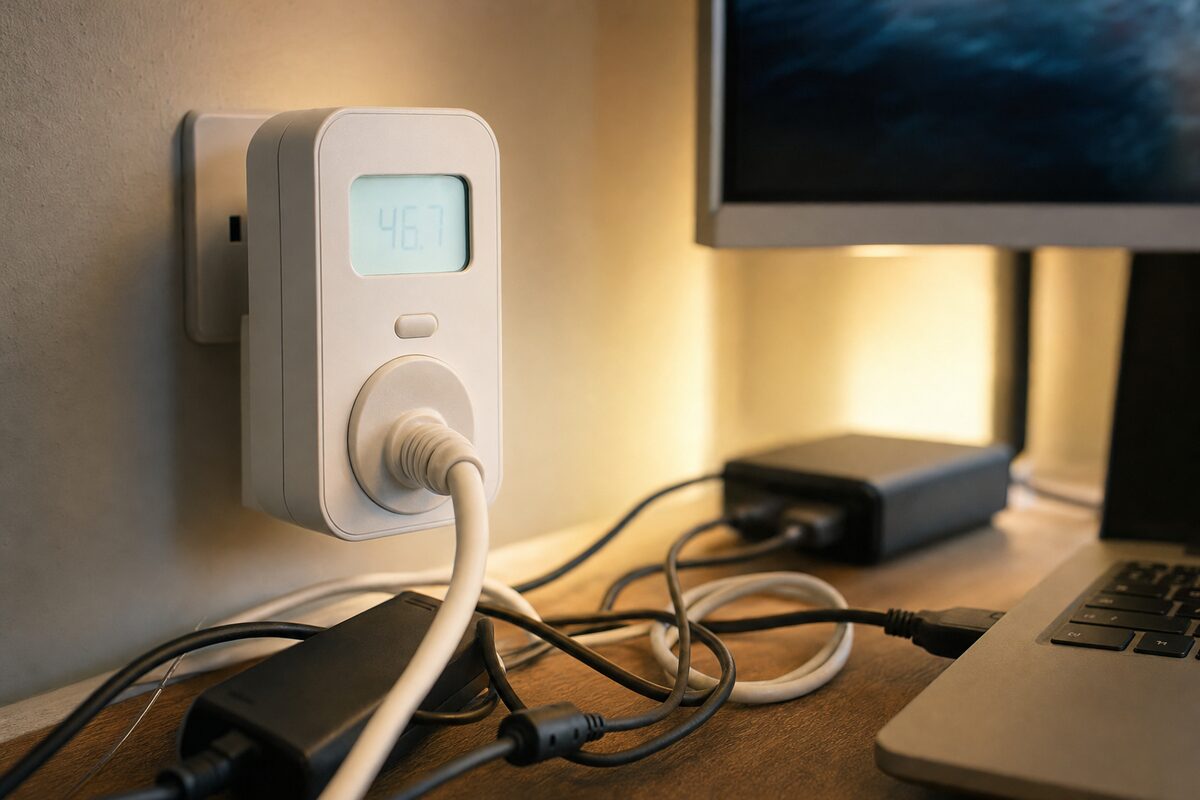
An energy monitor plug — sometimes called a power meter or electricity usage monitor — is a small device that sits between your appliance and the wall socket. It measures exactly how many watts the device is drawing, calculates the cost based on a unit price you enter, and shows you running totals: hourly, daily, weekly, monthly.
The one we most commonly recommend to customers is the Brennenstuhl PM 231 E (around £28–£34 depending on where you buy it). It's a no-nonsense German-made plug with a clear backlit display, easy buttons, and no app required — no Wi-Fi, no account, no subscription. You just plug it in and read the numbers. Simple as that.
There are smarter alternatives — TP-Link Tapo plugs, for instance, connect to your phone and log data over time — but for most home users and small businesses, a standalone display is actually more useful. You can see the number right there on the desk without faffing with an app.
Who Is This Actually For?
More people than you'd think. In practice, the customers who get the most out of one of these fall into a few camps:
- Home office workers who run a desktop, monitors, a NAS drive, a router, and a printer — often all day, often on standby overnight
- Small businesses trying to get a handle on running costs, especially if they have server-style equipment or multiple workstations
- Anyone with an ageing PC or Mac wondering whether the electricity cost of keeping it is starting to outweigh its usefulness
- People who've just had a big electricity bill and genuinely don't know which appliance is the culprit
It's also quietly handy if you're trying to decide whether to replace an old machine. If your elderly tower is costing £15 a month to run, a newer, more efficient machine might pay for itself faster than you'd expect — and we can help you assess whether repair or replacement makes more sense.
What You'll Actually Discover (Brace Yourself)
Here's where it gets interesting — and occasionally alarming. A few things that regularly surprise people when they first plug one of these in:
- Old desktop PCs on standby often draw 8–15 watts constantly. That's not nothing over a year.
- NAS drives (network-attached storage boxes used for backups) can draw 20–35 watts continuously — which adds up if they're running 24/7.
- Monitors left on "sleep" sometimes draw almost as much as when they're fully on, depending on the panel technology.
- Cheap power strips with built-in USB chargers often draw a small but constant phantom load, even with nothing connected.
- Modern laptops on charge are usually a pleasant surprise — many draw under 20 watts once the battery is full.
None of this means you need to panic or start switching everything off at the wall obsessively. It just means you can make informed decisions rather than guessing.
What's Good and What's Not
The Brennenstuhl PM 231 E is well-built, straightforward, and accurate enough for everyday use. The display is easy to read, the buttons are logical, and setup takes about 45 seconds. You enter your pence-per-kWh rate (check your energy bill — it'll be on there), press start, and it does the rest.
What it won't do: it doesn't log data to a phone, it doesn't work with smart home systems, and it only monitors one socket at a time. If you want to monitor a whole room's worth of equipment simultaneously, you'd need several of them — or to look at something like the Tapo P115, which does have app-based logging but requires a Wi-Fi setup.
It also won't measure very low loads accurately (under about 2 watts), so if you're trying to spot phantom drain from a phone charger with nothing plugged in, the readout may flicker at zero. For anything meaningful — computers, drives, monitors, printers — it's perfectly reliable.
The Honest Verdict
This is one of those rare purchases that genuinely delivers more than it costs, almost every time. It won't fix a slow computer or speed up your broadband, but if you've ever wondered why your bill is what it is, or if you're trying to decide whether an old machine is worth keeping, it gives you real numbers to work with.
For home users: buy one, spend a week monitoring your main desk setup, and you'll almost certainly find at least one surprise. For small businesses with multiple workstations or always-on equipment: it's practically essential for understanding your actual IT running costs.
We keep a few in stock and are happy to talk through what you find. Sometimes the numbers raise other questions — whether a more efficient SSD upgrade might help, or whether a particular machine is worth keeping at all. We're always happy to give an honest opinion, without pushing you toward anything you don't need.
You can also find other bits of kit we genuinely recommend on our recommended products page.