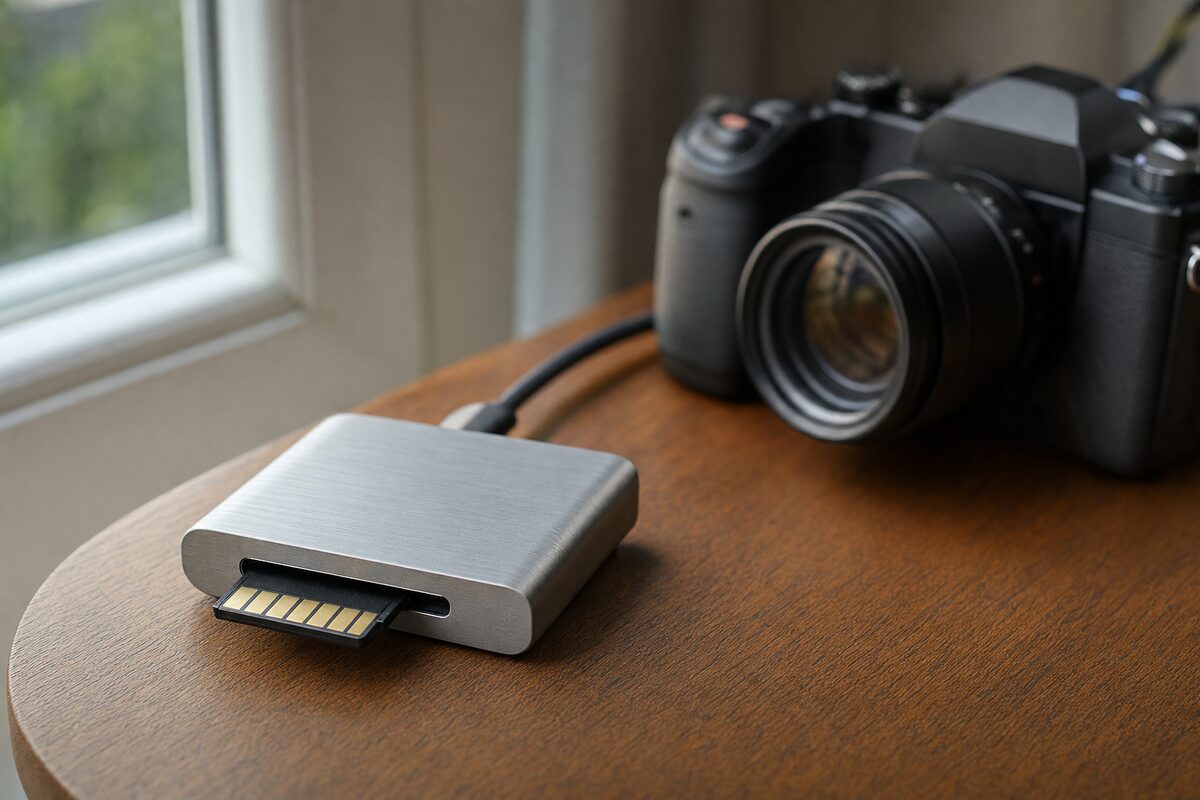
It started with a phone call from a customer who'd just come back from a three-week trip to Portugal. She plugged her camera's SD card into a cheap multi-card reader she'd bought on a market stall, her laptop told her the card needed formatting, and she panicked. A year of holidays — birthdays, grandchildren, the lot — suddenly looked like they'd gone.
They hadn't, as it turned out. The card was fine; the reader was the problem. But it was a very stressful afternoon before we confirmed that. And it's a situation we see more often than you'd think, which is exactly why it's worth talking about card readers properly — because most people give them almost no thought at all.
Who Actually Needs a Card Reader?
More people than you'd expect. If any of the following sounds familiar, a decent card reader belongs on your desk:
- You use a digital camera (DSLR, mirrorless, compact) and need to get photos onto a computer
- You shoot video on a camcorder, action camera or drone that saves to SD or microSD
- Your laptop doesn't have a built-in card slot — or it does, but it only accepts one card size
- You run a small business and regularly deal with memory cards from multiple devices
- You want a simple way to back up your camera card straight to an external drive without importing into software first
Even if your laptop has a built-in SD slot, those are often wired through a slow USB 2.0 controller internally. A good external reader can actually be faster.
The One We Recommend: Ugreen USB-C 3.0 Multi-Card Reader
This is the one we keep in the workshop and the one we point customers towards. At around £28–£32 depending on where you buy it, it sits at a price point that's genuinely sensible — not so cheap it's a gamble, not so expensive you feel like you're buying a professional broadcast tool.
It handles SD, SDHC, SDXC, microSD, and CF (CompactFlash) cards, which covers the vast majority of cameras people bring in. It connects via USB-C with a USB-A adaptor included, so it works on modern laptops, older desktops, and everything in between. Transfer speeds are rated at USB 3.0 (up to 5Gbps), and in practice copying a full 64GB card of RAW photos takes a few minutes rather than the quarter of an hour you get with older USB 2.0 readers.
Build quality is solid — it's aluminium-bodied, not hollow-feeling plastic. The slots feel firm without being so tight you're worried about damaging the card on insertion. It's also compact enough to live in a laptop bag without you noticing it.
What's Good
- Genuinely fast. USB 3.0 speeds make a real difference when you're pulling RAW files or 4K video footage off a card.
- Multiple card formats at once. You can have an SD and a microSD inserted simultaneously, which is useful if you're offloading from two devices in one go.
- Works on Windows and Mac without drivers. Plug it in and it appears as a drive. No installation faff.
- Aluminium shell. It doesn't feel like it'll snap in your bag.
- Compact. About the size of a matchbox. Goes anywhere.
What's Not So Good
Honest answers, because that's the point:
- No CFexpress support. If you're shooting on a newer high-end mirrorless camera with CFexpress cards, you'll need a different (and more expensive) reader. This one is for the vast majority of users, not the very latest professional formats.
- The cable is short. Ugreen include a fairly stubby USB-C cable. Fine if you're plugging directly into a laptop port, slightly awkward if you're reaching to a tower desktop on the floor.
- It doesn't charge your devices. Some multi-port hubs double as card readers and charge phones simultaneously. This doesn't. It does one job — but it does it well.
The Bigger Point: Don't Trust a £4 Reader With Irreplaceable Files
This is really what the article is about. Card readers seem trivial — just a passive adaptor, right? In theory, yes. In practice, a poorly made reader can report back incorrect data to your operating system, cause your computer to think a card needs reformatting, or corrupt files mid-transfer. We've seen it. It's not common, but it happens, and when it does the files at risk are usually photographs that cannot be retaken.
If the files matter — and holiday photos, family moments and client work absolutely do — spend £30 on a reader from a reputable brand rather than £4 on something anonymous. The price difference is negligible. The difference in reliability is not.
And whatever reader you use: once your files are on the computer, please back them up. A copy on your laptop is not a backup. A copy on an external drive — or better still, two copies in two places — is. If you're not sure where to start with that, have a read of our recommended kit page, or pop in for a chat. Data recovery is something we do regularly at Advantec, but it's always a last resort — and it's always more expensive and stressful than a £30 drive bought before something went wrong.
Honest Verdict
The Ugreen USB-C 3.0 Multi-Card Reader is exactly what a good piece of kit should be: it does its job reliably, it costs very little, and once you have one you stop thinking about it. That's the highest compliment you can give a peripheral.
It's not for professional photographers shooting CFexpress cards on £4,000 bodies. But for everyone else — home users, small business owners, hobbyist photographers, anyone who's ever struggled to get photos off a camera card without drama — it's the right tool at the right price.
Buy it once, keep it in your bag, and stop worrying about whether your card reader is quietly mangling your files. That peace of mind is worth thirty-two quid on its own.