It starts with a familiar sinking feeling. You're halfway through something important — a spreadsheet, a video call, a document you haven't saved in a while — and your laptop's battery icon turns orange. You reach for the charger. It's at home. Or in the other bag. Or still plugged into the wall in the bedroom.
For most people, the laptop charger is a permanent fixture: large, heavy, usually white or black, and absolutely not something you carry around unless you've planned well in advance. That's been the norm for twenty years. But there's a new category of charger that's quietly making that whole problem disappear — and the best value entry point costs about £29.
What Is a GaN Charger, and Why Should You Care?
GaN stands for Gallium Nitride — a semiconductor material that allows chargers to be built far smaller and run far cooler than traditional ones. The result is a wall plug that can deliver serious power in a package roughly the size of a large matchbox.
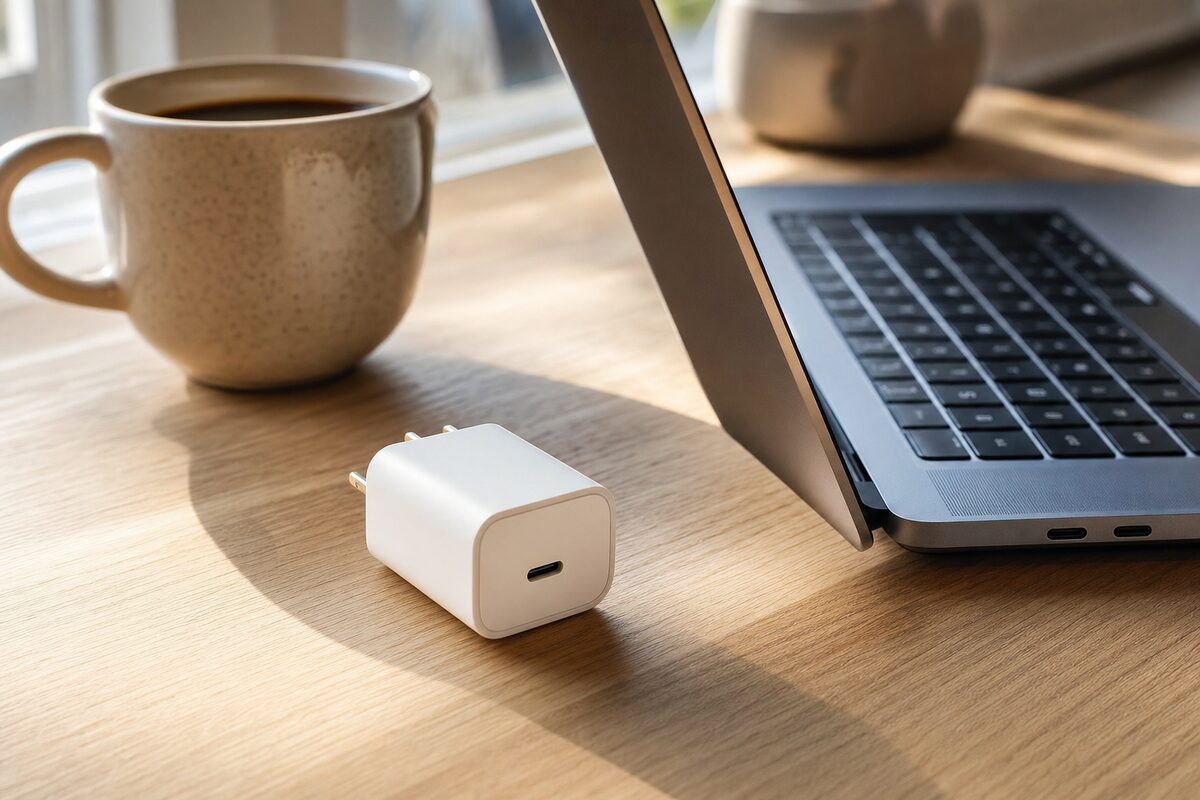
The one we'd point most home and small-business users towards is the Anker Nano 65W USB-C GaN Charger. It has a single USB-C port, folds its plug flat for travel, and — critically — puts out 65 watts. That's enough to charge most modern laptops at full speed, including MacBooks, Lenovo ThinkPads, Dell XPS machines, and anything else that charges via USB-C.
It currently sells for around £28–£32 depending on where you buy it. You can find it on Amazon or in most larger tech retailers. We keep a list of straightforwardly useful kit like this over on our recommended gear page.
Who Is This Actually For?
Honestly? Quite a lot of people. Here's who gets the most from it:
- Anyone who works from more than one place. Keep one charger at your desk and a GaN charger in your bag permanently. You stop forgetting chargers entirely.
- MacBook users. Apple's own 67W USB-C charger costs over £50 and is barely smaller. The Anker does the same job for half the price.
- Small business owners who travel. Hotels, client sites, co-working spaces — a small, powerful charger that handles both your laptop and your phone from one port is genuinely useful.
- Anyone whose original charger has died. Replacement laptop chargers from manufacturers are often expensive and surprisingly slow to arrive. A GaN charger from a good brand is frequently faster, smaller and cheaper.
- People who work at a kitchen table or sofa. The folding plug means it doesn't catch on everything when you move it around.
What It Does Brilliantly
The size difference between this and a standard laptop charger has to be seen to be believed. A typical Dell or Lenovo brick is about the size of a paperback book and almost as heavy. The Anker Nano is smaller than a bar of soap and weighs next to nothing. Drop it in any bag and you genuinely forget it's there.
Speed-wise, it performs exactly as advertised. A MacBook Air M2 charges from near-flat to around 50% in under an hour. A mid-range Windows laptop (we tested with a Lenovo IdeaPad running Windows 11) charged at the same rate as its original 65W charger — no difference at all in real-world use.
It also runs cool. Traditional chargers get warm — sometimes uncomfortably so. The Anker barely registers. That's a genuine safety and longevity benefit, not just a spec-sheet boast.
And if your laptop has had any charging port issues in the past, it's worth knowing that USB-C chargers from reputable brands like Anker are far less likely to cause port damage than cheap no-name alternatives. The quality of the power delivery circuitry genuinely matters.
What to Watch Out For
A few things worth knowing before you buy:
- Your laptop must charge via USB-C. This sounds obvious, but plenty of laptops — particularly older ones and many budget Windows machines — still use a proprietary round or rectangular barrel connector. If yours does, this charger won't help you. Not sure? Check the port on the side of your machine or look up your model number.
- One port means one device at a time. If you want to charge your laptop and your phone simultaneously, you'll want the two-port version (around £38–£45) instead.
- 65W isn't enough for every laptop. High-performance machines — gaming laptops, large-screen MacBook Pros, some mobile workstations — may need 90W or more. The Anker will still charge them, but slowly, and possibly not at all if the machine is under heavy load. Check your laptop's original charger wattage first.
- Buy from a reputable brand. The market is flooded with unbranded GaN chargers that claim similar specs but cut corners on safety circuitry. Anker, Belkin, and Ugreen are the names we'd trust. Anything that arrives in a plain white box with no certification markings — bin it.
Honest Verdict
If your laptop charges via USB-C and you're still lugging around the original manufacturer's brick, this is one of the most straightforward upgrades you can make. It genuinely changes the experience of working away from your desk, costs less than a meal out, and does exactly what it says.
It's not a luxury item or a gadget for gadget's sake. It's just a much better version of something you already need. That's a rare thing, and it deserves a straight recommendation.
If you're not certain whether your laptop is USB-C compatible, or if you've been having intermittent charging issues that a new charger might or might not fix, it's always worth getting the port checked before you assume the charger is the problem. Loose or damaged USB-C ports are more common than people realise — and a faulty port will cause problems no matter how good the charger is. Our team at Advantec can take a look and give you a straight answer.