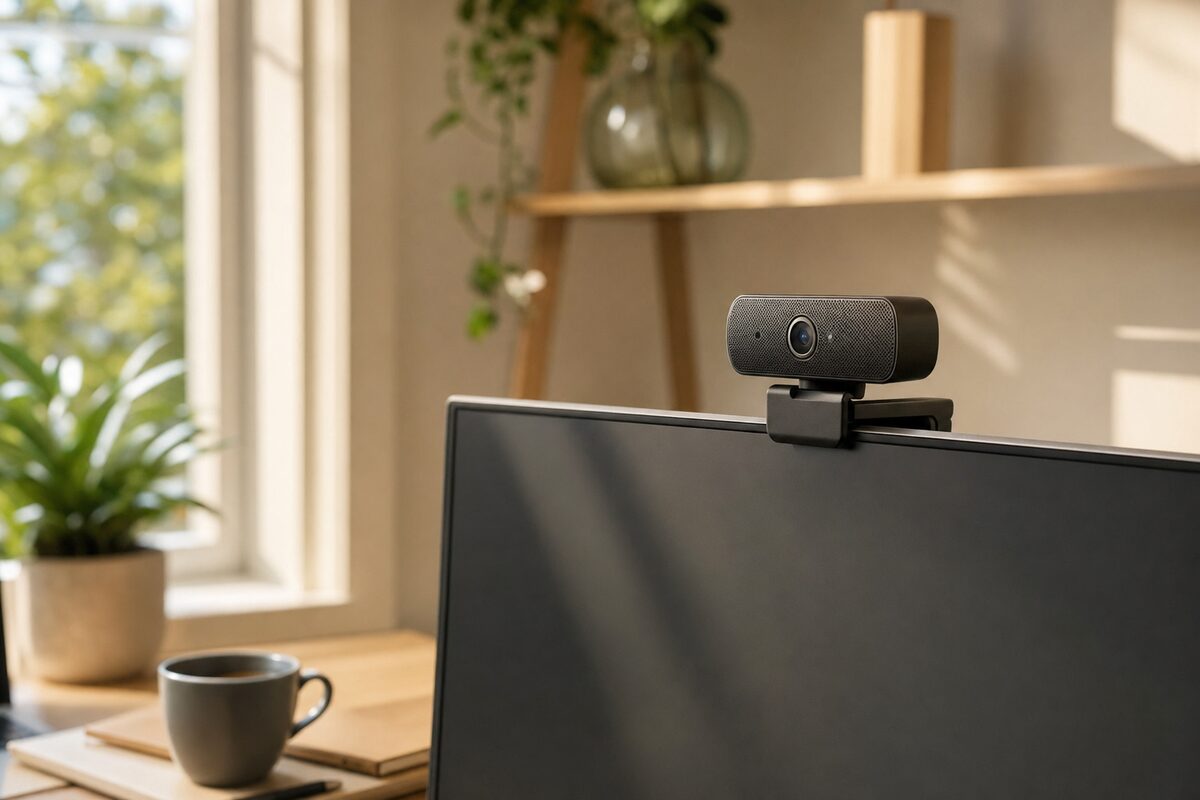
It started with a comment on a Teams call. "Have you redecorated?" a colleague asked. Nothing had changed — same spare bedroom, same slightly tatty bookshelf in the background. The only difference was the small wedge of plastic I'd clipped to the top of my monitor the day before: a Logitech Brio 300. At around £130, it's not the cheapest webcam on the shelf, but it made a bigger visual difference than I expected — and it made me think about how many people are still suffering through awful built-in laptop cameras when they really don't need to.
This is an honest look at who this camera suits, what it does well, where it falls short, and whether it's actually worth the money.
Who Is This For?
If you only join one video call a month and couldn't care less how you look on it, stop reading — the built-in camera on your laptop will do fine. But if any of these apply to you, it's worth paying attention:
- You work from home regularly and video calls are part of your day
- You run a small business and meet clients, suppliers or staff over Zoom, Teams or Google Meet
- You use a desktop PC, which typically has no built-in camera at all
- You use a Mac Mini, an iMac, or any laptop where the built-in camera is genuinely poor
- You record short videos — for training, social media, or client updates
Essentially: anyone for whom appearing professional and clear on-screen actually matters. That's more people than you'd think.
What's Genuinely Good About It
The headline feature is Full HD 1080p at 30 frames per second, and it delivers. Images are sharp, colours are accurate, and — crucially — it handles tricky lighting situations far better than budget alternatives. Sitting with a window behind you (the enemy of every built-in laptop camera) produces a much more balanced image than you'd expect at this price.
Logitech includes what they call RightLight 4 auto-exposure technology, which basically means the camera is constantly adjusting to keep your face visible even when the light behind you changes. It's not magic, but it genuinely works. Gone is that silhouetted ghost effect you get when the sun shifts.
The built-in privacy shutter is a physical sliding cover over the lens. No software to trust, no LED to wonder about — just close it and it's closed. Small thing, but more and more people care about this, and rightly so.
It's also plug-and-play via USB-C (with a USB-A adapter in the box), which means no drivers, no software installation required. Plug it in and it works — on Windows, macOS, and ChromeOS. The optional Logi Tune app adds a little fine-tuning if you want it, but you don't have to bother.
What's Not So Good
Honesty matters here, so let's be straight about the limitations.
The field of view is relatively narrow — 65 degrees. That's fine if it's just you, but if you sometimes want to capture two people at a desk (a common situation for small businesses), you'll feel cramped. Some rival cameras offer 78–90 degrees and feel much more generous.
The microphone is only passable. It picks you up clearly enough in a quiet room, but it's not going to flatter you in a noisy environment or a larger space. If audio quality matters — and for client calls it really does — a dedicated USB microphone or a headset is still worth considering alongside this camera.
No 4K. The flagship Brio 500 and Brio 700 shoot at higher resolutions, but most video call platforms cap out at 1080p anyway, so this is rarely a real-world problem. Just worth knowing if you specifically need ultra-high-resolution recording.
And finally — the price. You can buy a functional 1080p webcam for £30–£50. The Brio 300 costs more than twice that. The image quality difference is real, but it's fair to ask whether it matters to you specifically.
How It Compares to the Built-In Camera on Your Laptop
Most laptop webcams — even on machines costing £800 or more — are an afterthought. They're typically 720p sensors squeezed into the thinnest possible bezel, with poor low-light performance and no meaningful processing behind them. The gap between a decent external webcam and a built-in laptop camera is, frankly, embarrassing once you see it side by side.
For desktop users, of course, there's no choice: if you want to video call at all, you need an external camera. The Brio 300 is a solid answer to that problem.
Honest Verdict
The Logitech Brio 300 is a well-made, no-fuss webcam that does exactly what it says. It's not the most feature-packed option on the market, and the narrow field of view and average microphone mean it's not perfect for everyone. But for a home worker or small-business owner who wants to look genuinely professional on video calls without any technical headaches, it's one of the easiest recommendations we can make.
If £130 feels steep, the slightly older Logitech C920s (typically around £65–£75) is still a fine alternative and represents excellent value — it's been a workhorse recommendation for years. But if you can stretch to the Brio 300, the improvement in automatic light handling alone is worth it for anyone who doesn't have perfect studio lighting (which is most of us).
You can find this and other kit we genuinely recommend on our recommended products page. As always, we only list things we'd actually tell a friend to buy.