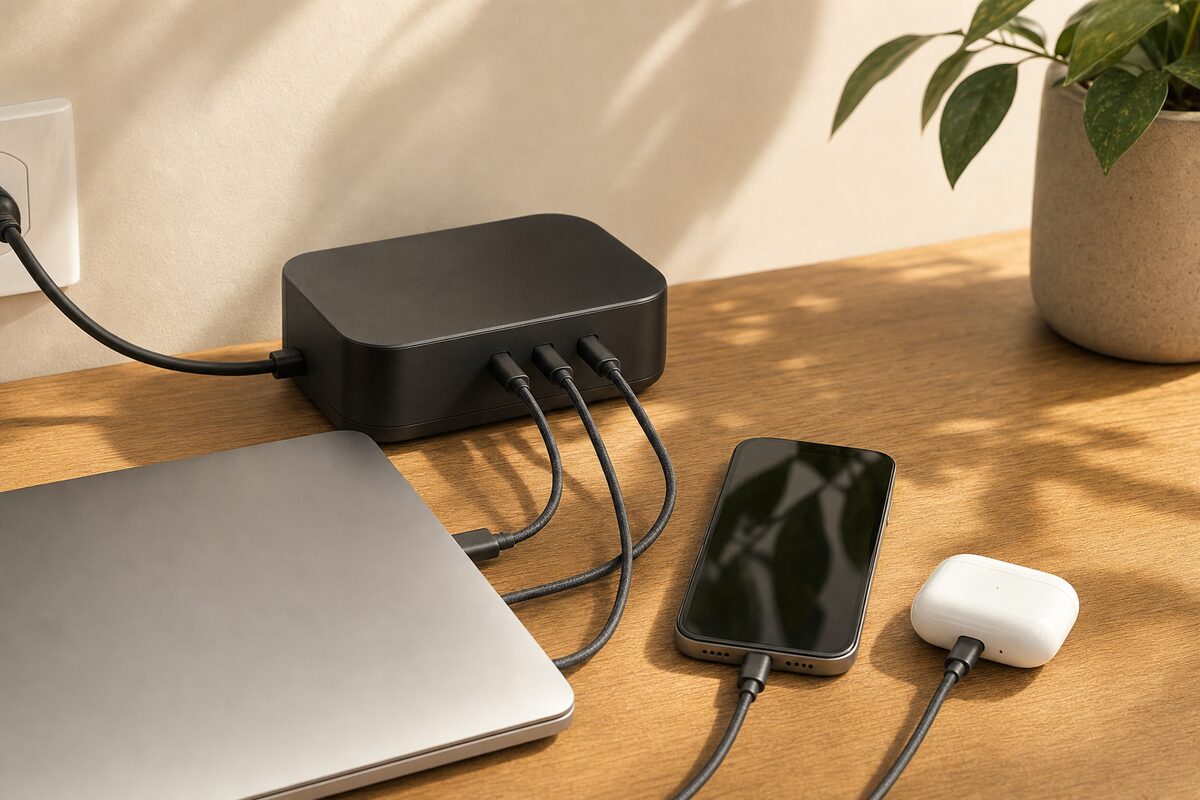
Most people have at least three chargers on their desk. One for the laptop. One for the phone. One for a tablet, a smartwatch, or whatever else has crept in over the years. If you're working from home — or running a small office — there's a reasonable chance you've got a tangle of white and black bricks fighting for space on a single extension lead, with at least one of them wobbling out of the socket because the cable is pulling it at a funny angle.
There's a better way, and it costs about £110. It's the Anker 727 GaNPrime Charging Station — a compact, flat desktop box that puts six charging ports in one place, handles a genuinely surprising amount of power, and still only needs a single socket on the wall. Let's talk about what it actually does, who it's for, and where it falls short.
What Even Is GaN?
Before we get into the specifics, it's worth explaining the technology behind it — because it's the reason this charger can do what it does at the size it is.
Traditional charger bricks use silicon components that generate a fair amount of heat as a side effect of converting mains power. GaN — gallium nitride — is a different semiconductor material that runs cooler and more efficiently, which means manufacturers can pack far more charging power into a much smaller casing. That's why a GaN charger the size of a fat paperback book can deliver 150 watts total — enough to charge a full-size laptop and several other devices simultaneously.
The Anker 727 has been around long enough now that the price has settled to a reasonable level, and it's become one of the most consistently recommended desktop chargers for home office users.
What You Get and How It's Set Up
The unit itself is roughly the size of a small hardback novel — flat, matte black, and tidy. It sits neatly on a desk rather than dangling off the wall. On the front and top you get:
- Two USB-C ports — the top one delivers up to 100W on its own, enough to fast-charge most modern laptops
- Two further USB-C ports — for phones, tablets, earbuds, and similar
- Two USB-A ports — for older cables and accessories that haven't moved to USB-C yet
A single power cable runs from the back of the unit to the wall — just the one plug. The box manages power dynamically, meaning if you're only using two ports it gives them more headroom, and if all six are in use it distributes sensibly across them. You don't need to think about it.
Setup is genuinely straightforward: put it on your desk, plug it in, plug your devices in. That's it. No software, no pairing, no faff.
Who Is This Actually For?
This isn't a product for everyone — and it's worth being honest about that.
If you use a single laptop with its own brick and charge your phone on a small plug near the bed, you don't need this. You'd be spending £110 to solve a problem you don't really have.
But if any of these sound familiar, it starts to make a lot of sense:
- You work from home and charge a laptop, phone, tablet, and perhaps a pair of wireless earbuds — all on the same desk
- You run a small business and have two or three people sharing a workspace
- You've got a laptop or MacBook that charges via USB-C and you want to ditch the proprietary brick
- You travel and want one box that handles everything rather than a bag of individual chargers
- You're just tired of the extension-lead chaos and want your desk to look less like a junction box
MacBook users in particular often find this useful — Apple's own USB-C chargers are expensive, and the 727 delivers full 96W charging to a MacBook Pro without any complaints. We've tested it here and it works exactly as advertised.
What's Good
The headline benefit is obvious: one plug, six devices, genuinely tidy. But the finer details are worth mentioning too.
The build quality is excellent. It feels solid and doesn't get excessively hot even when all ports are occupied. There's a small LED indicator on the front that lets you know it's live without being distractingly bright at night.
The 100W USB-C port is the star. It'll charge almost any modern laptop — Windows or Mac — at full speed without needing the manufacturer's original charger. If you've ever snapped a Dell or HP charging connector through daily use, you'll appreciate being able to replace it with a simple USB-C cable instead. (We do see charging port damage fairly regularly; USB-C connectors are generally more robust than proprietary barrel plugs.)
The USB-A ports are a thoughtful inclusion. USB-C is the future, but plenty of people still have older mice, keyboards, phone cables, and accessories that use the older rectangular connector. This charger doesn't force you to upgrade everything at once.
What's Not So Good
Honesty matters in a review, so here are the genuine limitations.
First, the price. £110 is not cheap for a charger, and if you buy cheap USB-C cables to go with it and one of them is poorly made, you can get inconsistent results. Spend a little extra on decent cables — it makes a difference.
Second, when all six ports are in use, the total power is shared — so a laptop on port one won't necessarily get its full 100W if everything else is running at the same time. In practice this rarely causes a problem (most devices charge fine at slightly reduced wattage), but it's worth knowing.
Third, it doesn't come with any cables in the box. You'll need your own USB-C leads, which is a minor inconvenience but increasingly the norm for charging hardware.
Honest Verdict
The Anker 727 GaNPrime is one of those purchases that's quietly brilliant rather than exciting. It won't make your laptop faster or fix your broadband, but it genuinely tidies up the chaos of a modern desk in a way that feels immediately worthwhile.
For home workers juggling multiple devices, or small offices where several people share power, it earns its price pretty quickly. For occasional use — a single laptop user who charges one device at a time — it's overkill.
If you're in the market for something like this, take a look at our recommended kit page where we list the products we actually suggest to customers — nothing on there that we wouldn't use ourselves.
One final thing worth saying: if your laptop is struggling to charge regardless of what charger you use, the issue might be the port itself rather than the brick. A damaged or loose USB-C charging port is a repairable problem in most cases, and worth getting looked at before you write the machine off.