Most people never think about their router. It arrives in a white box from BT or Sky, sits on a shelf, blinks green and that's that. It works — roughly — until it doesn't. And when it doesn't, you switch it off and on again, and life continues.
So when a customer first asked us about the TP-Link ER605, I'll be honest: I nearly talked them out of it. At £109, it costs more than most people's entire home Wi-Fi setup. It has no Wi-Fi of its own. And it looks like something a network engineer left behind.
But after spending a few months recommending it and hearing back from people who've actually used it, I've changed my mind. For the right person, this little box is quietly transformative. The key phrase, of course, is the right person.
What the ER605 Actually Is
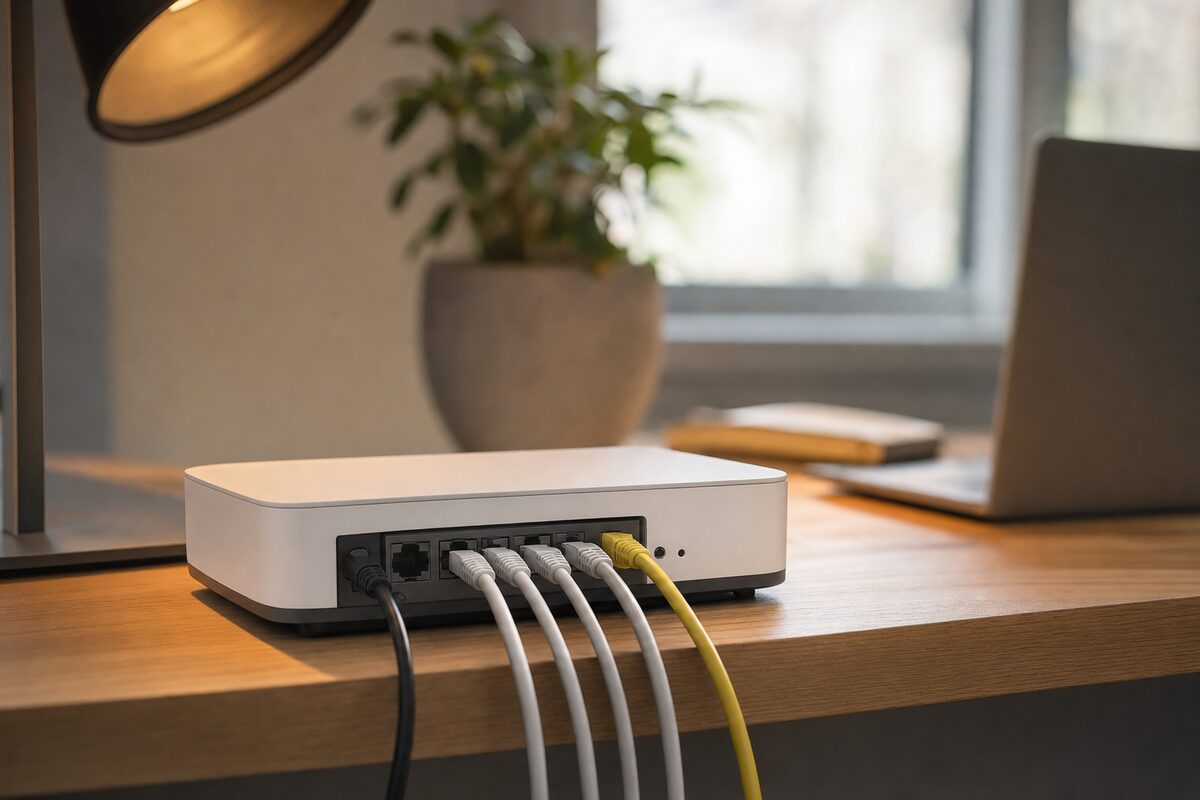
The TP-Link ER605 is a wired router — sometimes called a "gateway" — that sits between your broadband modem (or your ISP's router in modem mode) and the rest of your network. It doesn't do Wi-Fi. Instead, it handles all the clever network routing: managing traffic, assigning IP addresses, controlling what can talk to what, and providing a proper firewall.
It's part of TP-Link's Omada ecosystem, which means it can be managed from a tidy web dashboard or a free cloud app. Five Gigabit Ethernet ports, support for multiple WAN connections (so you can plug in a 4G dongle as a backup), and VPN capabilities that most home routers simply don't offer.
In plain English: your ISP's router is a Swiss Army knife — it does six things adequately. The ER605 does one thing very well, and lets you pair it with the best Wi-Fi access points you can afford.
Who This Is Actually For
Not everyone. Let's be clear about that upfront.
- Small offices or home businesses that need reliable internet and can't afford downtime — especially if you're running VoIP phones, video calls or a NAS drive that staff access remotely.
- Households with five or more devices competing for bandwidth — smart TVs, gaming consoles, laptops, tablets — where your ISP router starts struggling under the load.
- Anyone who's been bitten by their ISP router's firewall being too open or too dumb. The ER605 gives you proper control without needing a degree in networking.
- People who want to separate their work and home networks — a proper VLAN (virtual network) so your work laptop never shares a network segment with the smart kettle.
- Anyone already running (or planning to run) Omada Wi-Fi access points, since the ER605 slots neatly into that ecosystem.
If you're a single person in a flat with a laptop, a phone and a streaming stick, this is overkill. Keep your ISP router and spend the £109 on something else — maybe a decent external backup drive.
What's Good
Once set up, the ER605 is exceptionally stable. We're talking months without a reboot — which is more than can be said for plenty of ISP-supplied routers. The web interface is genuinely well-designed for a device in this price bracket: logical menus, sensible defaults, and nothing buried six layers deep.
The dual-WAN support is a genuine standout feature. Plug in your main broadband on WAN1, and a 4G USB dongle or second broadband line on WAN2, and the router will automatically fail over if your main connection drops. For a small business, that feature alone could justify the price — an hour of downtime costs far more than £109.
The VPN server is straightforward to configure (OpenVPN and IPsec are both supported), which means you can securely access your home or office network from anywhere — without paying for a third-party service.
And because you're decoupling your routing from your Wi-Fi, you can upgrade each independently. Your Wi-Fi access points can be positioned wherever the signal is best, not wherever your phone line happens to come in.
What's Not So Good
The initial setup will stump anyone who's never looked at a router's admin page before. TP-Link has made it considerably friendlier than it used to be, but you'll still encounter terms like "DHCP server," "NAT," and "port forwarding." If those words make your eyes glaze, you'll want someone to set it up for you — it's genuinely not a 20-minute job for a first-timer.
As mentioned, there's no Wi-Fi built in. That's a feature, not a flaw — but it does mean you need at least one Wi-Fi access point or a separate wireless router running in access point mode to get wireless devices online. Budget accordingly.
The Omada cloud management is excellent once it's working, but setting up the controller software (which can run on a free app, a cloud account, or a dedicated hardware controller) adds another step. Many users will be perfectly happy with the local web interface and won't need the cloud at all.
Honest Verdict
The TP-Link ER605 is one of those rare products that's worth exactly what it costs — no more, no less. At £109, it won't suit everyone, and it doesn't try to. But for a small business that needs reliability, a home-worker who wants their setup to actually behave, or anyone who's outgrown the capabilities of their ISP router, it's genuinely excellent.
What we like most is the honesty of its design: it does one thing — routing — and does it properly, without pretending to be a full wireless system. Pair it with a couple of decent access points, and you've got a network that will serve you for years without drama.
If your current setup involves rebooting the router when the Wi-Fi plays up, wondering why everything slows down in the evening, or worrying about what would happen if your broadband line went down mid-presentation, the ER605 is worth serious consideration.
You can find it on Amazon or from most UK IT suppliers. If you'd like advice on how to fit it into your existing setup — or whether it's the right move at all — feel free to get in touch with us. We're happy to point you in the right direction without selling you anything you don't need.