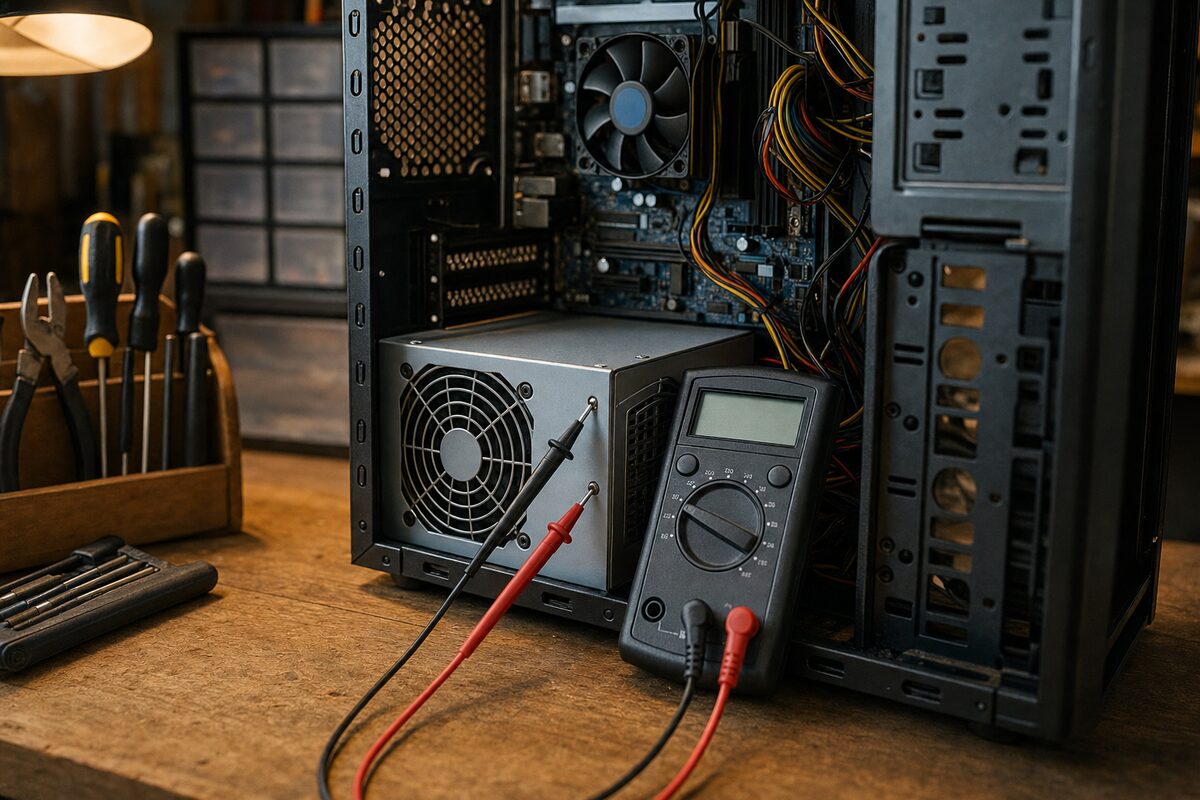
When a customer brings a machine in and says "I've already had Windows reinstalled twice this year," your first instinct is to wonder whether something heavy is being run, some obscure setting has been misconfigured, or perhaps the drive is failing. It's very rarely something you'd look at before you even power the machine on.
But that's exactly how this one ended up.
What Came Through the Door
It was a mid-range desktop PC — the kind a lot of small home offices are built around. The owner, a self-employed bookkeeper we'll call Margaret, had built up a reasonable setup over a few years: a tidy tower, a large monitor, an external backup drive, a USB hub holding a printer and scanner, the lot.
She'd been having Windows problems for most of the past year. At first it was small things — an occasional blue screen, files refusing to open, a program here and there behaving oddly. Her previous IT person had reinstalled Windows twice, diagnosed nothing specific, and charged her each time. After the third serious crash in twelve months, she'd had enough and brought everything in to us.
"I think there must be something wrong with the actual computer," she said. Which is a completely reasonable conclusion to draw.
What We Expected to Find
Windows corruption of this kind — persistent, recurring, not easily tied to a single event — has a fairly short list of causes. We ran through the usual suspects methodically:
- The hard drive — a failing drive will corrupt files and eventually destroy a Windows installation. We ran a full SMART diagnostic and a sector-by-sector surface test. The drive was completely healthy.
- The RAM — faulty memory causes all sorts of strange behaviour, including corruption. We ran an extended memory test overnight. No errors at all.
- Overheating — if the CPU or GPU gets too hot, the system can behave erratically. Temperature logs showed everything running well within normal limits.
- Malware — some infections do damage system files deliberately. A clean sweep came back clear.
By this point we had a healthy drive, healthy RAM, good thermals, and clean software. And yet, we knew Windows had been reduced to rubble three times. Something wasn't adding up.
The Thing Nobody Had Checked
We turned our attention to the power supply unit — the PSU — the component inside the case that takes mains power and converts it into the stable voltages the rest of the PC runs on. It's one of those parts that tends to get overlooked because, if the PC turns on at all, people assume the PSU must be fine.
That's not always true. A failing PSU can still power a machine up and keep it running most of the time. But what it may not do is deliver clean, stable power. If the voltages fluctuate — even slightly, even briefly — the components that depend on that power can misbehave in very subtle ways. The kind of ways that look, from the outside, exactly like a corrupted Windows install.
We tested the PSU under load with a proper multimeter. The 12V rail — which feeds the drives and other critical components — was sitting closer to 11.3V than 12V, and it wasn't stable. It was drifting. That's a PSU that is quietly on its way out, and has probably been struggling for the best part of a year.
We also noticed something else when we looked more closely at the mains lead: it was an old, thin cable that had been sharply kinked near the plug end, with a small amount of visible damage to the outer sheath. It wasn't sparking or obviously dangerous, but it was worth replacing cleanly while we were at it.
The Fix
We fitted a quality replacement PSU — a branded unit with a proper warranty — and replaced the mains lead. We also did a fresh Windows reinstall while we had everything clean and stable, since the existing installation had accumulated enough damage over the year that starting fresh was the sensible call.
Total cost was well under what Margaret had already spent on her two previous reinstalls that had fixed nothing, because they'd never addressed the actual cause.
She's been back in since — to drop off a box of biscuits, as it happens — and the machine has been completely solid.
The Practical Lesson
There are a few things worth taking away from this one.
Reinstalling Windows is not a diagnosis. It's a reasonable thing to try once, if the cause is genuinely unclear. But if the same problem recurs after a reinstall, the problem almost certainly isn't Windows — it's something that Windows is running on top of. Reinstalling again without investigating further just puts you back at square one.
A PC that turns on is not a PC with a healthy power supply. PSUs fail gradually, and a weakening one can cause intermittent, baffling problems for months before the machine finally refuses to start. If you've got a desktop PC that's more than five or six years old and it's been behaving oddly in ways that come and go, the PSU is worth checking — not just assuming it's fine because the lights came on.
Cable condition matters. This applies to the mains lead going into your PC, the USB cables connecting your drives, and the cable running to your monitor. Cables get stood on, crimped against skirting boards, and bent at sharp angles over years of use. They degrade invisibly. When something is behaving oddly, don't automatically assume the expensive components are at fault.
And finally — if something has been "fixed" twice and is still broken, it hasn't actually been fixed. The right repair finds the cause, not just the symptom. That's the difference between a machine that runs reliably for another five years and one that eats another reinstall by Christmas.