It starts quietly. A faint, rhythmic clicking — almost like a ballpoint pen being clicked under a desk. You notice it when the room is silent, or when you're waiting for a file to open. You tell yourself it's probably nothing. The laptop's been fine for years. It still boots. Everything seems okay.
It isn't okay. That sound is one of the most specific and serious warnings a computer ever gives you, and most people ignore it until it's too late.
What Is Actually Making That Noise?
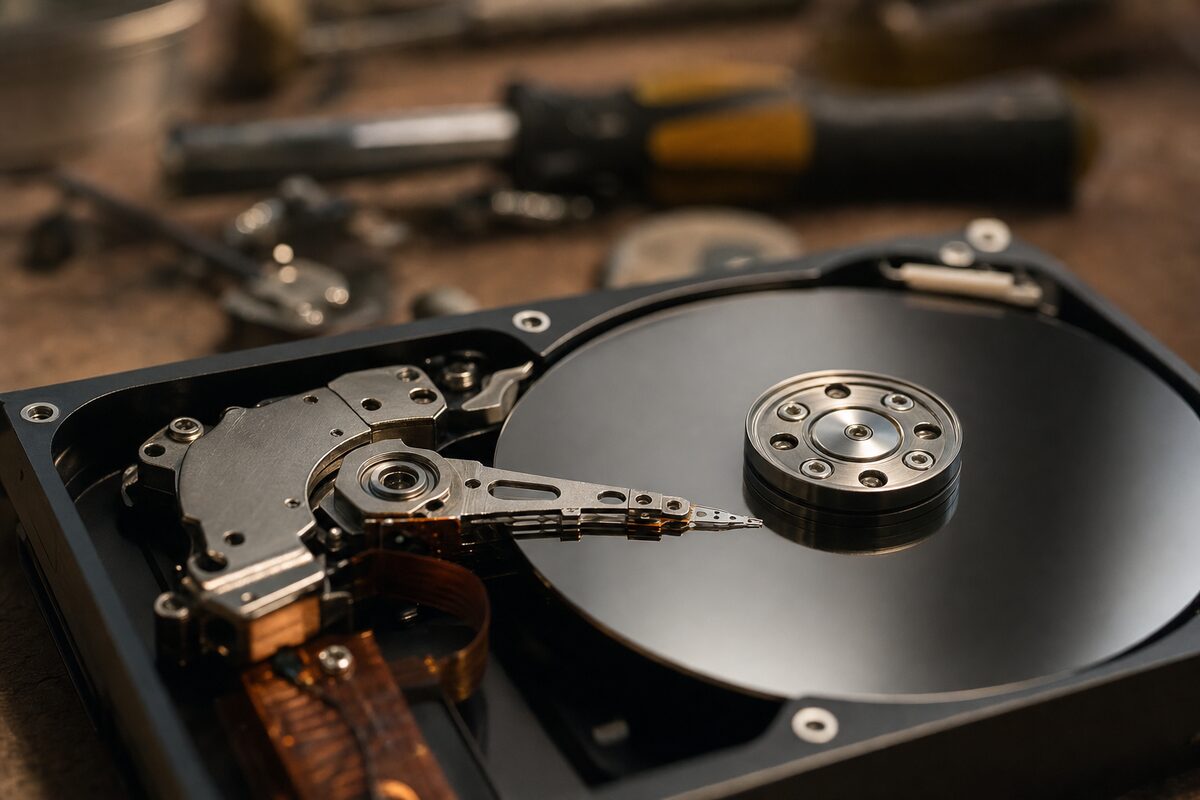
Inside a traditional spinning hard drive (HDD) — the kind fitted to most laptops and desktops sold before about 2018 — there are tiny magnetic platters that spin at thousands of revolutions per minute, and a read/write head that skims across the surface to read your data. The gap between the head and the platter is smaller than a human hair.
When a drive starts clicking, it almost always means the read/write head is failing to find its reference point on the platter — a process called seeking. It tries, fails, resets, and tries again. That repetitive mechanical reset is the click you're hearing. Engineers call it the "click of death," and they're not being dramatic.
It is entirely separate from the normal gentle hum of a healthy spinning drive. Once you've heard a clicking drive, you'll never mistake it for anything else.
Why Clicking Means the Clock Is Already Running
A clicking hard drive is not a drive that's about to fail — it's a drive that is failing, right now, in real time. Every click is a failed read attempt. Every failed read attempt puts mechanical stress on the head assembly. And once the head physically touches the platter surface — something called a head crash — the damage becomes permanent and often total.
We see this pattern at our workshop week in, week out. Someone brings in a clicking laptop and asks how long they've got. The honest answer is: we don't know — it could be days, it could be hours. A drive that clicks on Monday morning can be completely dead by Wednesday afternoon. And a dead drive — one that's suffered a head crash — can cost hundreds of pounds in specialist recovery, with no guarantee of success.
The cost of acting immediately is almost always far less than the cost of waiting.
What You Should Do Right Now — Step by Step
If you can hear clicking from your computer, here's what to do, in order:
- Stop using it for anything non-essential. Every read and write operation causes more stress. Don't install updates, don't run a scan, don't defragment. Just leave it as idle as possible.
- Plug in your power lead if you're on a laptop. You don't want the machine shutting down unexpectedly mid-copy.
- Copy your most important files off immediately. Plug in a USB stick or an external drive and drag across anything irreplaceable — family photos, documents, work files. Start with the things you'd be most upset to lose.
- Don't rely on cloud sync alone. If the drive fails mid-sync, the files may not have finished uploading. Manually copy them to a separate physical drive.
- Don't switch the machine off and on repeatedly trying to diagnose it. Each power cycle is another spin-up, another moment where the failing head has to find its position.
- Get it to a repair shop as soon as possible — ideally the same day. A good technician can confirm the problem quickly and recover your data to a new drive before it's too late.
Can the Drive Be Repaired?
Usually, no — not in any practical sense. A clicking drive that has begun to fail mechanically is not a candidate for repair in the way a software fault or a corrupted partition is. The head assembly is worn, damaged, or has already touched the platter. The right approach is to recover the data from it as quickly as possible and replace it with a new drive — ideally a solid-state drive (SSD), which has no moving parts and is dramatically more reliable.
If the drive has already stopped being recognised by the computer entirely — if Windows can no longer see it at all — professional data recovery is still possible in many cases, but it becomes significantly more complex and expensive. The sooner you act, the more options you have.
An SSD upgrade at the same time isn't just a repair — it's a genuine improvement. Machines that took three minutes to start up often boot in under twenty seconds afterwards. It's one of the most cost-effective things you can do to an older laptop or desktop.
How to Tell It's the Hard Drive and Not Something Else
Fair question — computers make various noises. Here's a quick guide to what's what:
- Clicking or clunking, in a regular rhythm: Almost certainly the hard drive. Act now.
- High-pitched whirring or grinding: Also likely the hard drive, or possibly a failing cooling fan.
- Constant loud fan noise: Usually overheating — a different problem, but still worth investigating.
- Single occasional clicks when reading files: May be normal optical drive activity if you have one, but worth checking.
- A regular mechanical click even when idle: That's the classic click-of-death pattern. Don't wait.
If you're not sure, the safest move is always to copy your files first and ask questions second.
The Practical Takeaway
A clicking hard drive is your computer keeping its promise to warn you before the worst happens. Most drives don't give you that warning — they simply stop working one morning with no notice at all. If yours is clicking, you're actually in a better position than you might think: you still have time to act.
Back up what matters, stop using the machine for anything heavy, and get it seen to today. At Advantec Computing in Tenterden, we deal with failing drives several times a week — it's one of the most common things we see — and we can usually recover your files and fit a new SSD the same day or the next. The cost of acting quickly is almost always a fraction of what specialist recovery costs once a drive has given up entirely.
Don't let a replaceable piece of hardware take your irreplaceable files with it.