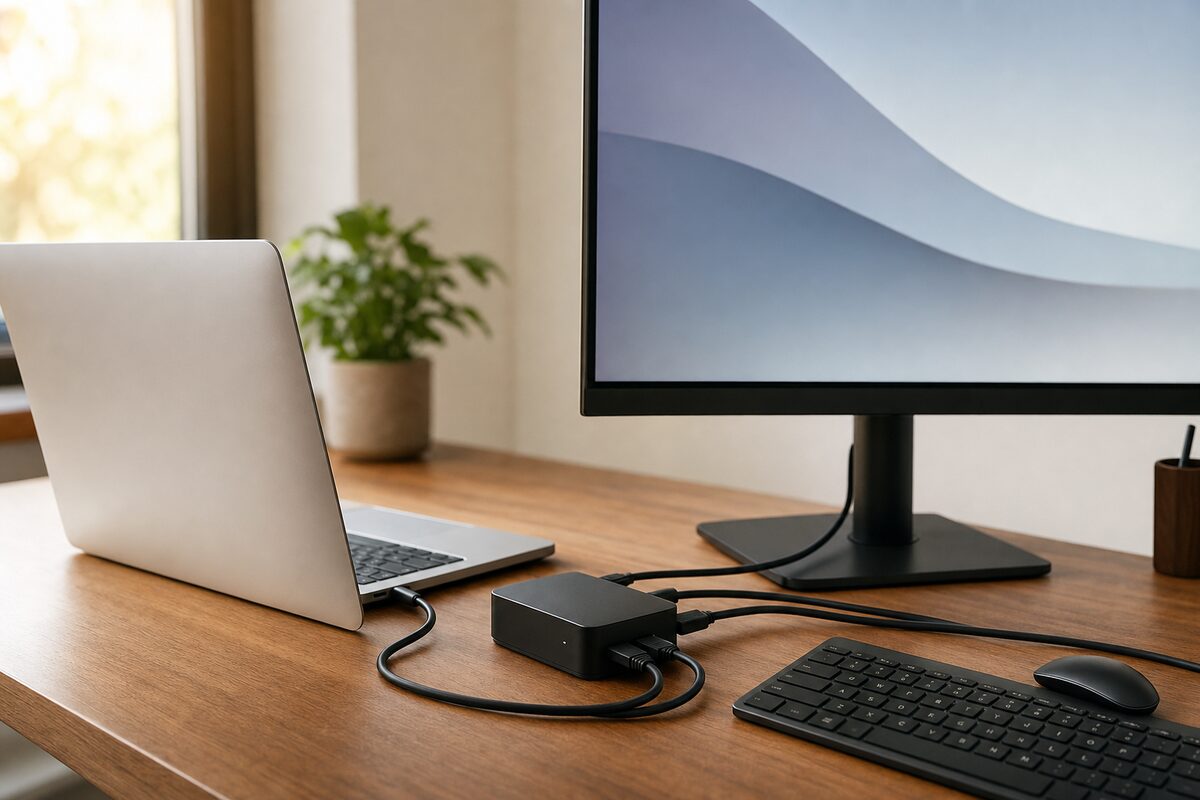
There's a particular kind of frustration that comes from using a laptop at a desk. You sit down, and before you can start work you're plugging in the charger, then the mouse dongle, then the monitor cable, then the USB stick — and by the time you're done you've used up every port on the machine and there's a small birds' nest of cables on your desk. Sound familiar?
A USB-C docking station — sometimes called a hub — solves that in one move. One cable connects the laptop to the dock, and the dock connects to everything else. It sounds almost too simple, and honestly, it more or less is. But there are catches, and not every dock is right for every person. Here's what you actually need to know.
What Is a USB-C Dock, and How Does It Work?
A docking station is essentially a breakout box. Your laptop has one USB-C (or Thunderbolt) port; you plug the dock into that port, and the dock gives you back a whole collection of connections — HDMI or DisplayPort for a monitor, standard USB-A ports for older devices, an SD card slot, an ethernet socket for a wired internet connection, and often power delivery so the dock charges your laptop at the same time. One cable in, the world opens up, one cable out, you're free to go.
The model we've been recommending to customers lately is the Anker 565 USB-C Hub (11-in-1), which sits around £55–£65 depending on where you find it. There are dozens of docks on the market — from budget £20 hubs to £300 Thunderbolt behemoths — but for most home and small-business users, something in this mid-range hits a sensible sweet spot.
Who Actually Needs One of These?
Not everyone does, and it's worth being honest about that. If you only ever use your laptop on the sofa or at the kitchen table, a dock will sit in a drawer. But if any of the following sounds like you, it's worth serious consideration:
- You work at a desk with a separate monitor and keep plugging and unplugging the same cables every day.
- You have an older USB mouse, keyboard, or printer but a newer laptop with only USB-C ports.
- You regularly transfer photos from a camera SD card and have to search for a separate card reader every time.
- You want a wired ethernet connection for speed and reliability, but your laptop only has Wi-Fi.
- You work from home and want your desk to feel like a proper workstation, not a tangle of compromise.
Small businesses with staff who hot-desk — sharing a monitor and peripherals between two or three people — often find a dock pays for itself in time saved within a week.
What's Good About It
The single-cable convenience is genuinely transformative if you're plugging and unplugging daily. Pick up the laptop, one pull, you're done. Come back, one click, you're set up. It sounds trivial until you've actually experienced it.
Wired ethernet is probably the underrated hero here. Wi-Fi is fine for most things, but if you're on video calls all day or dealing with large files, a cable makes a meaningful difference to stability. Most laptops sold in the last five years have quietly dropped the ethernet port, so a dock brings it back without any fuss.
The better docks also provide power delivery — meaning the dock charges your laptop through the same USB-C cable. You plug one cable in, and the laptop charges. No need to also hunt for the charger. On the Anker 565, this tops out at 85W, which is plenty for most laptops.
Build quality on mid-range docks has improved considerably. The Anker unit feels solid, runs cool, and has been reliable in day-to-day use over several months. Ports are sensibly laid out — the things you use all the time (USB-A, SD card) are on the front; the things you plug in once and leave (HDMI, ethernet, power) are at the back.
What's Not So Good
Here's where honesty matters, because the marketing rarely mentions these things.
Compatibility is not universal. Most modern Windows laptops with a USB-C port will work fine. However, not all USB-C ports are created equal. Some laptops have USB-C ports that carry data but not video — which means the HDMI output on the dock simply won't work. Always check your laptop's spec sheet, or ask someone who knows before buying. This is the single most common reason people return docks.
MacBook users need to be careful. Macs work beautifully with Thunderbolt docks, but a generic USB-C hub may deliver the monitor at a lower resolution or with colour limitations. If you're running a Mac and a high-resolution display, it's worth spending more on a Thunderbolt 4 dock, or asking for advice before you commit.
Power delivery wattage matters. High-performance laptops — gaming machines or workstations — may need 100W or more to charge properly under load. A 65W dock will still charge them, but slowly. Check what your laptop's original charger delivers.
Not a fix for a struggling machine. A dock makes a capable laptop more convenient — it won't speed up a slow computer or fix underlying issues. If your laptop is crawling along, it might be worth looking at an SSD upgrade or a general laptop health check first.
The Honest Verdict
For anyone who uses a laptop at a fixed desk most of the day, a good USB-C dock is one of those rare purchases that genuinely earns its price within the first week. The convenience is real, the productivity gain is real, and the desk tidiness — which you may have written off as a luxury — turns out to matter more than expected.
The Anker 565 is a solid, sensibly priced choice for most Windows home and small-business users. If you're on a Mac, or if you have a high-end workstation laptop, it's worth spending a bit more or getting a second opinion before buying.
If you're not sure whether your laptop is compatible, or which dock would suit your specific setup, we're happy to take a look. You can also browse our recommended kit page for the devices we actually suggest to our customers.